Fundamentals - PIERRE Building Structures and System Setups
A reliable system starts with a well-designed structure and proper configuration from the very beginning. To successfully design, commission, and maintain a PIERRE installation, it is essential to understand the relationship, purpose, and hierarchy of Buildings, Roles, and Dashboards within the system. These core elements define how devices, permissions, user interfaces, and system functionality are organized, ensuring a scalable, secure, and easy-to-manage smart building environment.
Description
This page covers how a project is structured in the PIERRE system: creating the Building, choosing its type, and setting up the roles, dashboards and devices that follow from it. The structure is decided at the start of a deployment and everything else is built on it.
Building Creation
Every deployment starts by defining the Building structure in the PIERRE Partner application. For a single apartment or house the process is short: the Building is created, the system generates a Default Role, and that role becomes available immediately in the Smart PIERRE application.
Building Types
The type is selected according to the scope of the project — an individual home is set up differently from an accommodation or a larger commercial property, and the type determines which functions are available.
What This Guide Covers
- Creating the Building and selecting its type.
- Roles and how access follows from them.
- Dashboards and how they are assigned.
- Setting up the devices within the structure.
Technical Notes
- Choose the Building type correctly at the start. It shapes the whole setup, and changing it later means rebuilding the structure.
- Plan the roles before the dashboards — a dashboard belongs to exactly one role.
- Agree the naming of buildings, floors and rooms with the customer at the beginning; every later configuration refers back to it.
1. Building Structure & System Fundamentals
1.1 Building Creation
Every PIERRE system deployment starts with defining the Building structure.
For a single apartment or house, the process is straightforward:
-
A Building is created in the PIERRE Partner application
-
The system automatically generates a Default Role
-
This Default Role becomes immediately available in the Smart PIERRE application
Building Types
When creating a Building, the type must be selected based on the project scope:
-
Home – Individual houses or apartments
-
Accommodation – Used for separable units within a larger structure (e.g. hotel rooms, apartments in a complex, rentable units)
-
Condominium – Central Building for multi-apartment residential complexes (shared infrastructure, common systems); individual apartments should be defined as Accommodation
-
Hotel – Main Building for hotels or motels (central control, shared services); rooms should be defined as Accommodation
-
Industrial Building – Main Building for factories or industrial complexes; sub-units (e.g. production areas, warehouses) can be added as separate Buildings and linked as Accommodation
-
Office – Office buildings and business environments
-
Public Facility – Public-use buildings (e.g. schools, hospitals, municipal buildings)
-
Residential Building – Multi-unit residential structures where centralized services (e.g. shared lighting, access, energy systems) are required
-
Retail Building – Commercial environments such as shopping centers, stores, or mixed retail units
-
Warehouse – Storage and logistics facilities
1.2 Roles and Dashboards Concept
If all users should have equal access to the system:
-
Simply assign the Default Role to all users
-
No additional configuration is required
For more advanced use cases (e.g. hotels, multi-user environments, or restricted access scenarios), Roles and Dashboards must be configured.
Core Rules
-
A Dashboard can be assigned to only one Role
-
A Role can contain one or more Dashboards
-
A User or Display can have one or more Roles (all Dashboards linked to the assigned Role(s) will be displayed in the Smart PIERRE application. )
-
Dashboards are never assigned directly to users or Displays
-
Visible IOs are defined by the Dashboard(s) linked to assigned Roles
-
Dashboards cannot be shared between multiple Roles
1.2.1 Assignment Logic
The system works through Role-based assignment:
-
Assign Roles to users or Displays
-
If a Role contains Dashboards:
-
They automatically appear:
-
in the mobile application (for users)
-
on the Display
1.2.2 Example Use Case
If different Displays should show different control interfaces:
-
Create Role1 → assign Dashboard1
-
Create Role2 → assign Dashboard2
-
Assign:
-
Role1 → Display1
-
Role2 → Display2
Result
-
Display1 shows IOs from Dashboard1
-
Display2 shows IOs from Dashboard2
1.2.3 Practical Applications
This structure enables:
-
Room-specific control panels
-
Restricted access for guests
-
Selective intercom ringing (only specific users or displays)
-
Customized UI per device or user
1.3 Zigbee Integration Requirements
If Zigbee devices are used:
-
PIERRE Wave devices are required for Zigbee communication
-
The system must include at least one Zigbee Coordinator, provided by:
-
a PIERRE Display
-
or a PIERRE Gateway
This ensures proper Zigbee network creation and management.
Important:
Only PIERRE Wave (Zigbee) devices are supported within the PIERRE system.
Third-party Zigbee devices are not supported.
1.3.1 Zigbee Network Architecture
The PIERRE system uses a Zigbee mesh topology, enabling reliable and scalable wireless communication.
A complete Zigbee network consists of three key elements:
1.3.1.1 Coordinator
The Coordinator is responsible for:
-
Creating the Zigbee network
-
Managing device connections
-
Allowing PIERRE Wave devices to join the system
In the PIERRE system, the Coordinator is provided by:
-
a PIERRE Display
-
or a PIERRE Gateway
1.3.1.2 Routers (Mesh Backbone)
Zigbee Routers are essential for building a stable mesh network:
-
They extend network coverage
-
They forward communication between devices
-
They improve overall network reliability
Typically, Routers are:
-
Mains-powered devices
-
Installed to ensure proper signal distribution
A well-designed system requires sufficient Router density.
1.3.1.3 End Devices
End Devices are the final nodes in the Zigbee network, such as:
-
Sensors
-
Battery-powered devices
-
Basic actuators
Characteristics:
-
They do not forward communication
-
They connect through Routers or directly to the Coordinator
-
They are typically low-power devices
1.3.2 Network Structure Overview
A properly designed Zigbee network includes:
-
1 Coordinator (Display or Gateway)
-
Multiple Routers (to form the mesh network)
-
End Devices (connected through the mesh)
Correct planning ensures:
-
Stable communication
-
Full coverage
-
Reliable system performance
1.3.3 Troubleshooting
For detailed Zigbee troubleshooting and diagnostics, refer to:
[Zigbee Troubleshooting – Smart PIERRE Wiki]
1.4 Network Infrastructure Requirements
For stable and reliable system operation:
-
All core devices must be connected to the same local network:
-
Controllers
-
Displays
-
Gateways
-
Intercom devices
-
A PIERRE Display is mandatory in the system for local operation
Key Recommendation
-
Use enterprise-grade routing solutions (e.g. MikroTik) for stability and flexibility.
-
Prefer wired connections where possible (especially for controllers and intercoms)
1.5 Local Operation (Offline Mode)
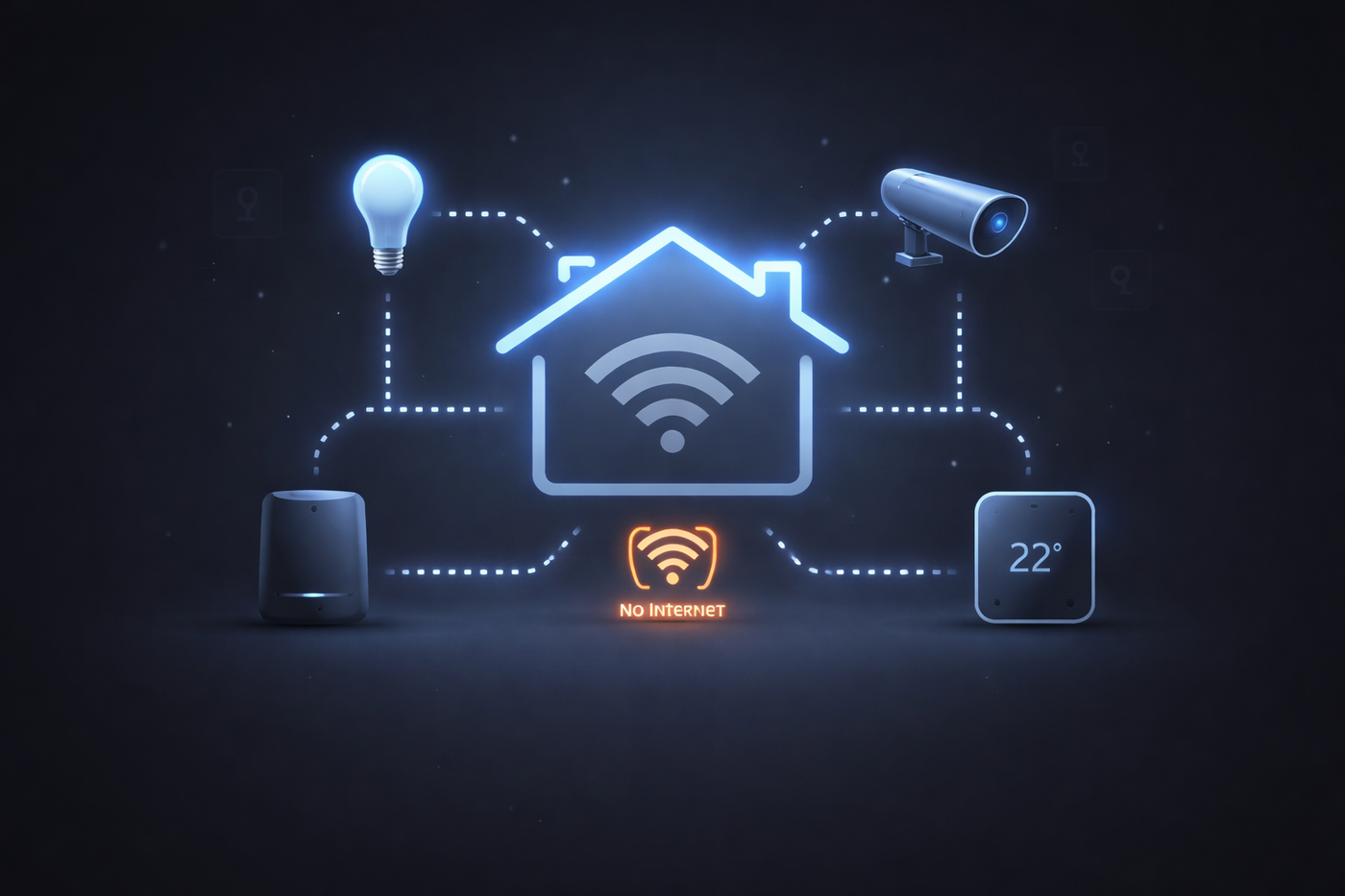
The PIERRE system is designed to operate even without an active internet connection.
Core Principle
All critical communication happens within the local network. Cloud connection is not required for basic operation (e.g., real-time control, automation execution).
However, an internet (cloud) connection is required for system configuration, initial setup, and any structural changes to the system.
The following functions require an active internet connection:
-
Initial system setup
-
Adding or removing devices
-
Changing device settings
-
Adding or removing users
-
Firmware updates
-
Creating and modifying schedules
-
Viewing logs and history
-
Key sharing / access management
Available in Local Mode
-
Device control (lighting, HVAC, etc.)
-
Communication between controllers and displays
-
Intercom functionality (within the same network)
-
Execution of preconfigured logic and scenes
Key Requirement
-
All devices must be on the same local network
-
Proper initial configuration must be completed while online
Detailed information about Local/Offline mode
For detailed Local/Offline mode, visit:
[PIERRE Offline Control]
1.6 Design Summary
When designing any PIERRE system, always ensure:
-
Proper Building structure is created
-
Roles and Dashboards are logically structured
-
Users and Displays are assigned correct Roles
-
Network infrastructure is stable and unified
-
Zigbee deployments include required hardware
-
Local operation is guaranteed without internet dependency
2. Hotel Architecture & System Design
2.1 Central Building Structure (Hotel Level)
In a Hotel deployment, the system is structured around a central Building, created in the PIERRE Partner application.
This main Building is responsible for all shared and centralized systems, including:
-
Common area lighting and control
-
Staff access control
-
Intercom system
-
Elevator integration (if available)
-
Guest access control (hotel-level logic)
-
Parking management systems
-
EV charging infrastructure (if available)
This Building acts as the core control layer of the entire hotel system.
Select Hotel type in PIERRE Partner application.
2.2 Room Structure as Sub-Buildings (Accommodation Layer)
Each hotel room must be created as a separate Sub-Building (Accommodation).
This approach:
-
Creates a clear hierarchical structure (Main Building + Sub-Buildings)
-
Logically connects all rooms to the central system
-
Enables scalable and modular deployment
-
Is mandatory for PIERRE Portal integration
PIERRE Portal integration
This structure enables access to advanced modules in the PIERRE ecosystem, such as:
-
BMS (Building Management System)
-
Access Control
-
Hospitality management
-
Resident / Guest Portal
-
Services management
-
EV Chargers
Together, these modules provide a fully integrated platform for:
-
Monitoring
-
System management
-
Alert handling
-
Operational control
2.3 Room-Level Independence
Each room operates as an independent unit within the system.
This ensures:
-
Independent remote control for each room
-
Local control of devices within the room
-
Isolation from other rooms
-
Better fault tolerance
Key design principle:
Each room should remain operational on a local level whenever possible.
2.4 Network Infrastructure Design
Proper network design is critical in hotel environments.
Recommended topology
-
Each room should include a local network switch (required if more than one PIERRE Bridge is used)
-
Room-level devices connect to this switch
-
Room switches connect to floor-level switches
-
Floor switches connect to the main router / core network
Hierarchy:
Room Devices → Room Switch → Floor Switch → Main Router
Important consideration – local operation dependency
Local operation depends on an active local network.
If the connection to the main router is lost:
-
Communication across the system may be disrupted
-
Local control may also be affected depending on network design
Critical design point
The network must ensure local communication paths remain available.
Avoid designs where all communication depends on a single central point.
Reference:
Network topology
2.5 Role Structure for Hotel Environments
A well-defined Role structure is essential for hotel deployments.
Recommended setup: two roles per room
Default Role (administration)
-
Contains all IOs and system functions
-
Assigned to administrators, maintenance staff, and reception
Used for:
-
Full system visibility and control
-
Handling alerts from rooms:
-
SOS / emergency signals
-
Security alerts (water leak, smoke)
-
Open doors or windows
-
DND and cleaning requests
Guest Role (restricted access)
-
Contains only allowed IOs for guest interaction
-
Assigned to room displays and guest interfaces
Used for:
-
Lighting, climate, shading and scene control
-
Daily interaction with the room
Does not allow:
-
System configuration
-
Critical system changes
2.6 Display Permission Configuration
Displays can be limited to Use IO permissions only.
This ensures:
-
Guests can use devices
-
System configuration remains protected
2.7 HVAC Control Limitations
Minimum and maximum temperature limits can be defined.
This ensures:
-
Guests stay within predefined ranges
-
No excessive heating or cooling
Benefits
-
Energy efficiency
-
System protection
-
Operational stability
2.8 Design Summary – Hotel Systems
When designing a hotel system:
-
Use a central Building for shared systems
-
Create each room as an Accommodation
-
Maintain a clear hierarchical structure
-
Design network with room, floor, and core levels
-
Ensure local operation capability
-
Separate admin and guest Roles
-
Restrict guest access to safe functions
3. Condominium System Architecture
3.1 Building Structure
In a Condominium deployment, the system is structured around a central Building, created in the PIERRE Partner application.
This main Building is responsible for all shared and centralized systems, including:
-
Common area lighting and control
-
Access control
-
Intercom system
-
Elevator integration (if available)
-
Parking access management
-
EV charging infrastructure (if available)
This Building acts as the core control layer of the entire Condominium system.
Configuration:
Select Condominium as the Building type in the PIERRE Partner application.
3.2 Apartment Structure as Sub-Buildings
Each apartment must be created as a separate Sub-Building (Accommodation).
This approach:
-
Creates a clear hierarchical structure (Main Building + Sub-Buildings)
-
Logically connects all apartments to the central system
-
Enables scalable and modular deployment
-
Is mandatory for PIERRE Portal integration
PIERRE Portal Integration
This structure enables access to advanced modules within the PIERRE ecosystem, such as:
-
BMS (Building Management System)
-
Access Control
-
Resident / Guest Portal
-
Services management
-
EV Chargers
Together, these modules provide a fully integrated platform for:
-
Monitoring
-
System management
-
Alert handling
-
Operational control
3.3 Apartment-Level Independence
Each apartment operates as an independent unit within the system.
This ensures:
-
Independent remote control for each apartment
-
Local control of devices within the apartment
-
Isolation from other apartments
-
Improved fault tolerance
Key Design Principle:
Each apartment should remain operational on a local level whenever possible.
3.4 Network Infrastructure Design
Proper network design is critical in Condominium environments.
Recommended Topology
-
Each apartment should include a local network switch
(required if more than one PIERRE Bridge is used) -
Apartment-level devices connect to this switch
-
Apartment switches connect to floor-level aggregation switches
-
Floor aggregation switches connect to the main router / core network
Each floor should have a direct connection to the main router to ensure redundant operation
Network Hierarchy
Apartment Devices → Apartment Switch → Floor Switch → Main Router
Important Consideration – Local Operation Dependency
Local operation depends on an active local network.
If the connection to the main router is lost:
-
Communication across the system may be disrupted
-
Local control may also be affected (depending on network design)
Critical Design Requirement
-
The network must ensure local communication paths remain available
-
Avoid designs where all communication depends on a single central point
-
The main router must have internet access for proper cloud operation
Recommendation:
Use enterprise-grade routing solutions (e.g. MikroTik) for stability and flexibility.
3.5 Cross-Building IOs and Shared Access Control
In Condominium deployments, multiple entrances must be shared across all apartments.
-
Entrances are created in the Main Condominium Building
-
These IOs must be shared with all apartment Sub-Buildings
Role-Based Access Control
Role configuration is critical in this scenario.
Example:
-
Some residents have access to the garage
-
Others do not
Using Role-based control:
-
Users with the appropriate Role gain access to garage doors
-
Users without permission will not see or control those IOs
3.5.1. Create a dedicated Intercom role
-
Open the Smart PIERRE application.
-
Go to Roles.
-
Create a new role and name it Intercom.
-
For Apartments, select and add the required Remote IOs from the Common Building.
3.5.2. Add IOs to the Intercom role
-
Open the newly created Intercom role.
-
Click Add new IO.
-
Click the Filter icon.
-
Under Types, select:
-
Doors
-
PIERRE Intercoms
-
RFID Readers
-
Under Choose Building, select the Common Building where the intercom, doors, and RFID readers were added.
-
Click Save.


3.5.3. Select devices (IOs) from the Common Building
-
From the list of available devices, select the required IOs belonging to the Common Building.
Click Save.


After saving, the Intercom role will appear in the Roles list with the selected IOs assigned.
3.5.4. Assign the Intercom role to a display or user
-
Open Smart PIERRE application and select the correct Building
-
Select the main display of the apartment (with the previously configured static IP address).
-
Assign the Intercom role to this display. (Menu - Settings - Display - Select the main display - Access and Add new Role Access)
You can also assign this role to a user or another display if intercom calls need to be received there.
3.6 Intercom Control
For proper intercom operation:
-
All apartment Displays must be configured with static IP addresses
-
The following devices must be on the same local network:
-
Main router
-
Intercom devices
-
Access control controllers
-
Apartment Displays
-
Apartment Controllers
Configuration
-
An Intercom Role must be created for each apartment
-
Intercom devices and RFID readers must be assigned to this Role
Cross-building IO sharing can also be used to:
-
Distribute intercom devices
-
Enable communication across apartments
3.7 Centralized Reception Control
Reception (concierge) operation is handled through dedicated devices installed at the reception area.
Capabilities
-
Reception can call any apartment
-
Visitors can call reception from building entrances
-
Reception can assist with access control
Typical setup:
-
Intercom panels (e.g. Boston) at entrances
-
Display units at reception (recommended: larger displays such as Berlin)
Access Scenarios
-
Guests can contact reception for assistance
-
Reception can remotely open doors
-
RFID / bell panels in garages or secondary entrances can also be managed
Network Requirements
-
All entrance and reception devices must be on the same local network
-
In complex setups, VLAN segmentation may be required
Recommendation:
Use enterprise-grade routing solutions (e.g. MikroTik) for stability and flexibility.
3.8 Roles and Display Permissions
Each apartment owner and their Displays should have full control over installed devices.
Optional configuration:
-
Create room-based Roles
-
Limit Displays to control only devices within a specific room
This allows:
-
Cleaner UI
-
More intuitive control
-
Custom user experiences
3.9 PRO, Wave, and Hybrid Control
Within each apartment, multiple control architectures can be implemented:
PRO (Wired System)
-
High reliability
-
Real-time response
-
Recommended for core systems (lighting, HVAC, critical functions)
Wave (Zigbee)
-
Wireless flexibility
-
Easy installation and retrofit
-
Requires proper mesh planning (see Section 1.3)
Hybrid Approach
-
Combines PRO and Wave systems
-
PRO handles critical infrastructure
-
Wave provides flexible expansion
Recommended Approach:
Use PRO as the backbone, and Wave for extension and convenience.
3.10 Design Summary
When designing a Condominium system, ensure:
-
Proper Main Building + Sub-Building structure
-
Clear Role and access control logic
-
Stable and scalable network architecture
-
Reliable intercom and access control integration
-
Centralized reception functionality
-
Proper separation and independence of apartments
-
Correct selection of PRO, Wave, or Hybrid architecture