
Smart Control Panel - Rio Lite 4"
| SKU | P-DSP-RIO-LITE |
|---|---|
| Product line | PIERRE Pro, PIERRE Wave |
| Category | Displays |
| GTIN / EAN | 8606034722516 |
Overview
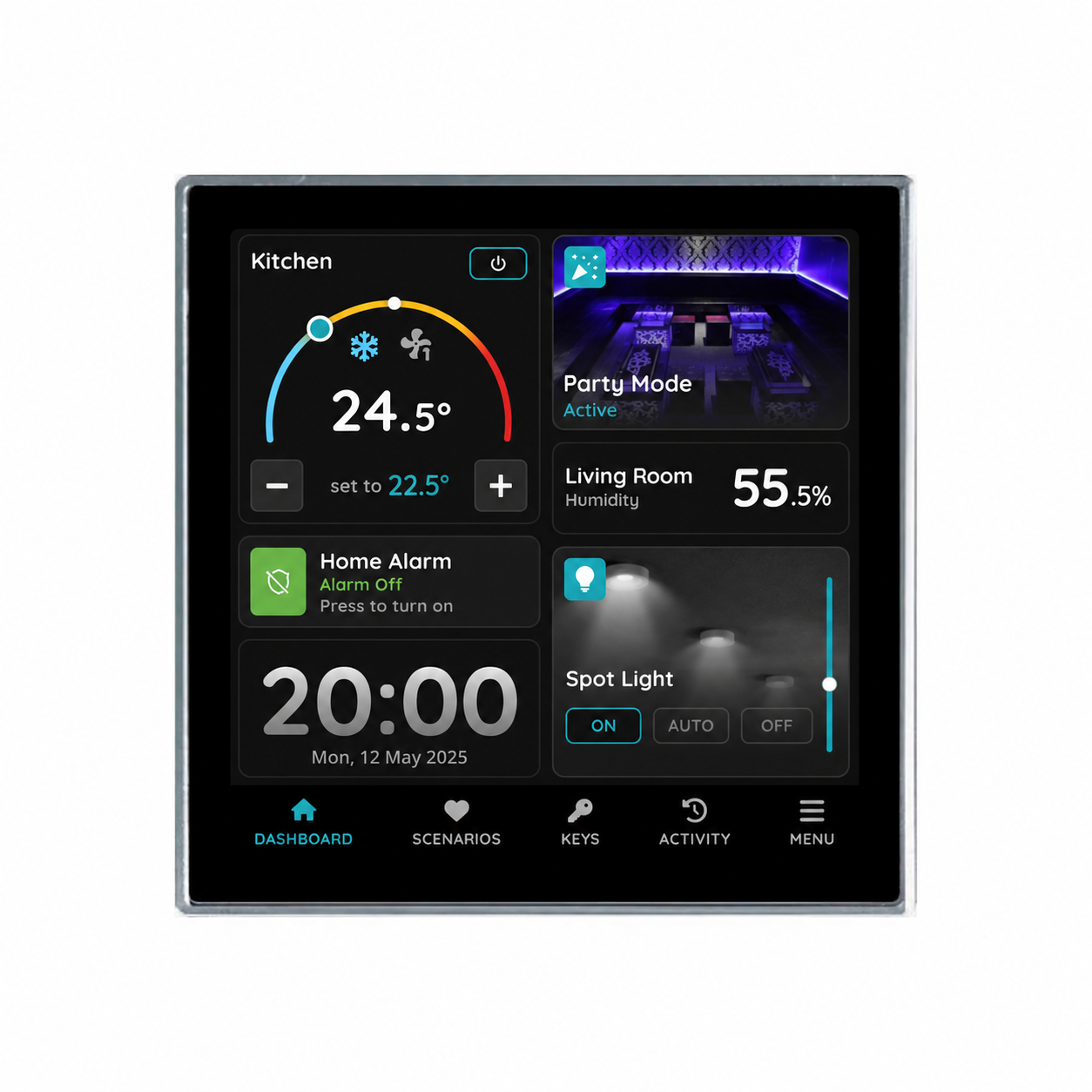
The Room Control Display Rio Lite 4" is a compact room-control panel in the PIERRE product range, designed for spaces where a simple, dedicated control interface is required. Powered by the PIERRE Smart Chip, it features a 4-inch, 480 × 480 touch screen and supports a single dashboard for intuitive room control.
The built-in temperature and humidity sensors provide real-time room environment measurements, making Rio Lite ideal for monitoring and controlling room conditions. An integrated brightness sensor automatically adjusts the display brightness to suit the surrounding light conditions.
Rio Lite supports flexible power options, including Power over Ethernet (PoE), 12 V DC, and 24 V DC, simplifying installation across different project requirements.
It communicates via Ethernet or Wi-Fi, also serves as a gateway for PIERRE Wave products (Zigbee 3.0).
The display uses the same physical dimensions and installation requirements as the standard Rio 4", fitting an 86 × 86 × 50 mm back box with 60 mm fixing centres. It has an IP20 rating and operates at temperatures from 0 °C to +40 °C, with relative humidity of 5–90% (non-condensing).
Key features
- 4-inch touch screen
- Powered by PIERRE Smart Chip
- Ethernet and Wi-Fi
- Gateway for PIERRE Wave (Zigbee 3.0)
- RS485
- PoE, 12V DC, 24V DC
- Single dashboard
Technical specifications
| Certification | |
|---|---|
| CE Marking | Yes |
| RoHS Compliant | Yes |
| Warranty | 2 years |
| Connectivity | |
| PoE Support | Yes |
| Connectivity | 10M/100M Ethernet RJ45, 2.4GHz Wi-Fi (802.11 b/g/n), Zigbee, Modbus, RS485 |
| Display | |
| Touch Screen Dimension | 4 inch |
| Touch Screen Resolution | 480x480px pixels |
| Electrical | |
| Power Supply | DC 12V/24V |
| Environmental | |
| Operating Temperature | +32°F - +104°F |
| Operating Temperature (°C) | 0 - +40 |
| Operating Humidity | 5% - +90% RH, Non Condensing % RH |
| Hardware | |
| CPU | PIERRE Smart Chip |
| Physical | |
| Panel Material | ABS+PC material |
| Product Color | Black |
| Mounting Type | Wall mount |
| Mounting Box | 86x86x50mm |
| Sensors | |
| Built-in Sensors | Temperature, Humidity |
Electrical & I/O
| Connection | PoE, 12V DC, 24V DC |
|---|
Physical & packaging
| Dimensions (L × W × H) | 86 × 10 × 86 mm |
|---|---|
| Weight | 210 g |
User manual
- 1. Product Size
- 2. Product specifications
- 3. Installation instructions
- 4. Wiring
- 5. Add Display
- 6. Video
- 7. FAQ
1. Product Size
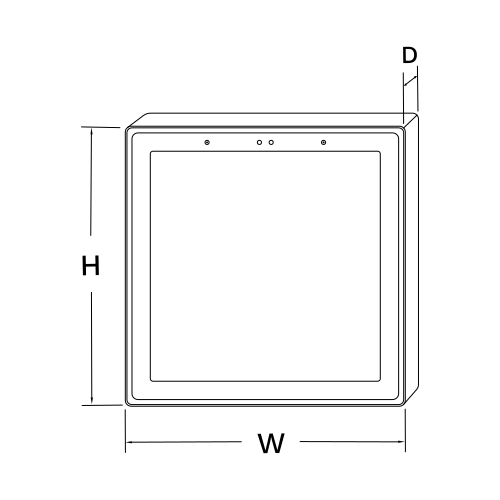
W: 8.6 cm
H: 8.6 cm
D: 1 cm
2. Product specifications
3. Installation instructions
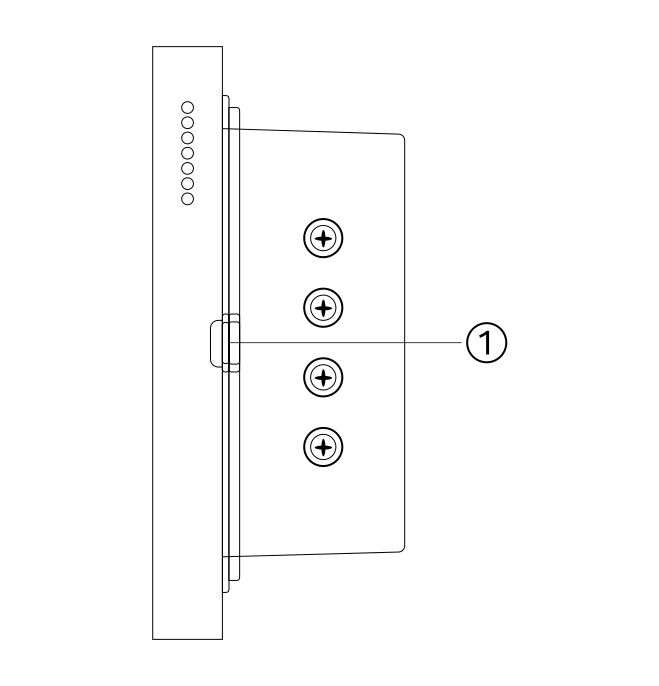
Turn off the main power in the electric box and make sure the live wire in the wall box is not live.
Remove the base of the display and install it in the wall box.
- Pry the base off with a flat screwdriver
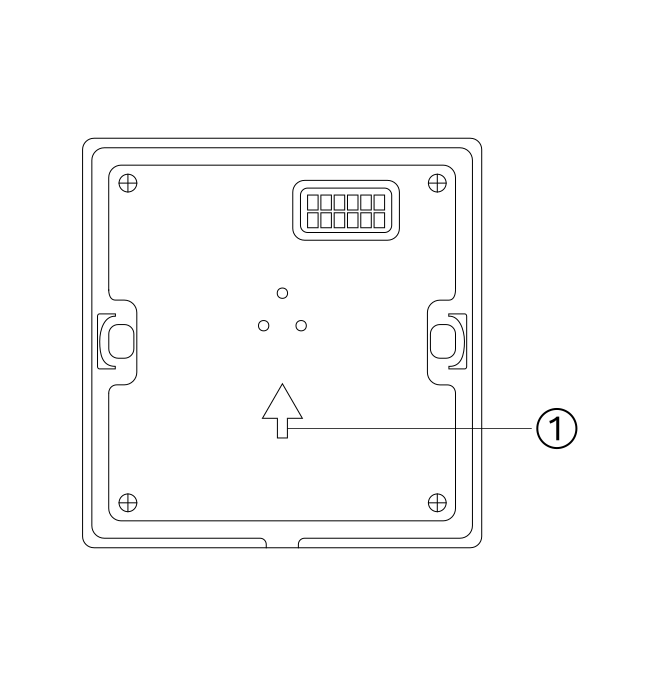
- Install upward as shown
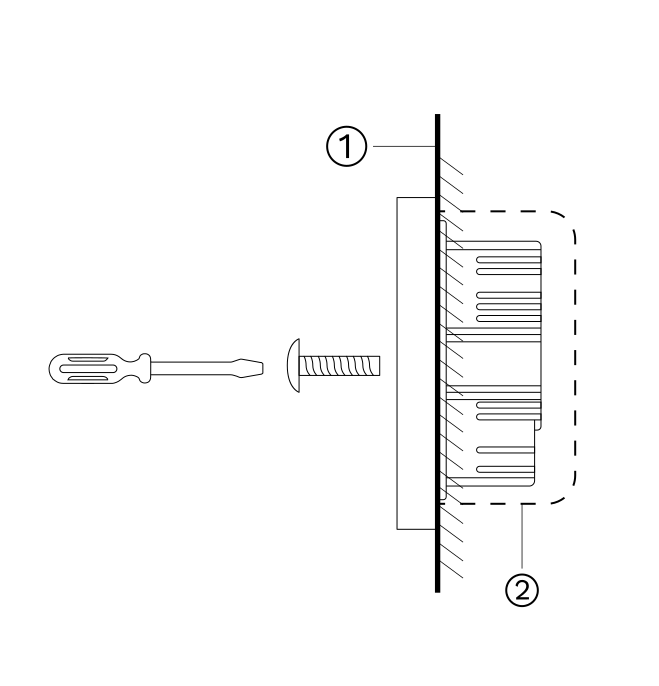
Fasten the base to the wall box with the mounting screws and fix the display back onto the base.
If the display is not flat after installation, do not press on the screen. Check the wall box and base installation first.
Do not overtighten the screws; this can deform or damage the screen and hardware.
- Wall
- Wall box
4. Wiring
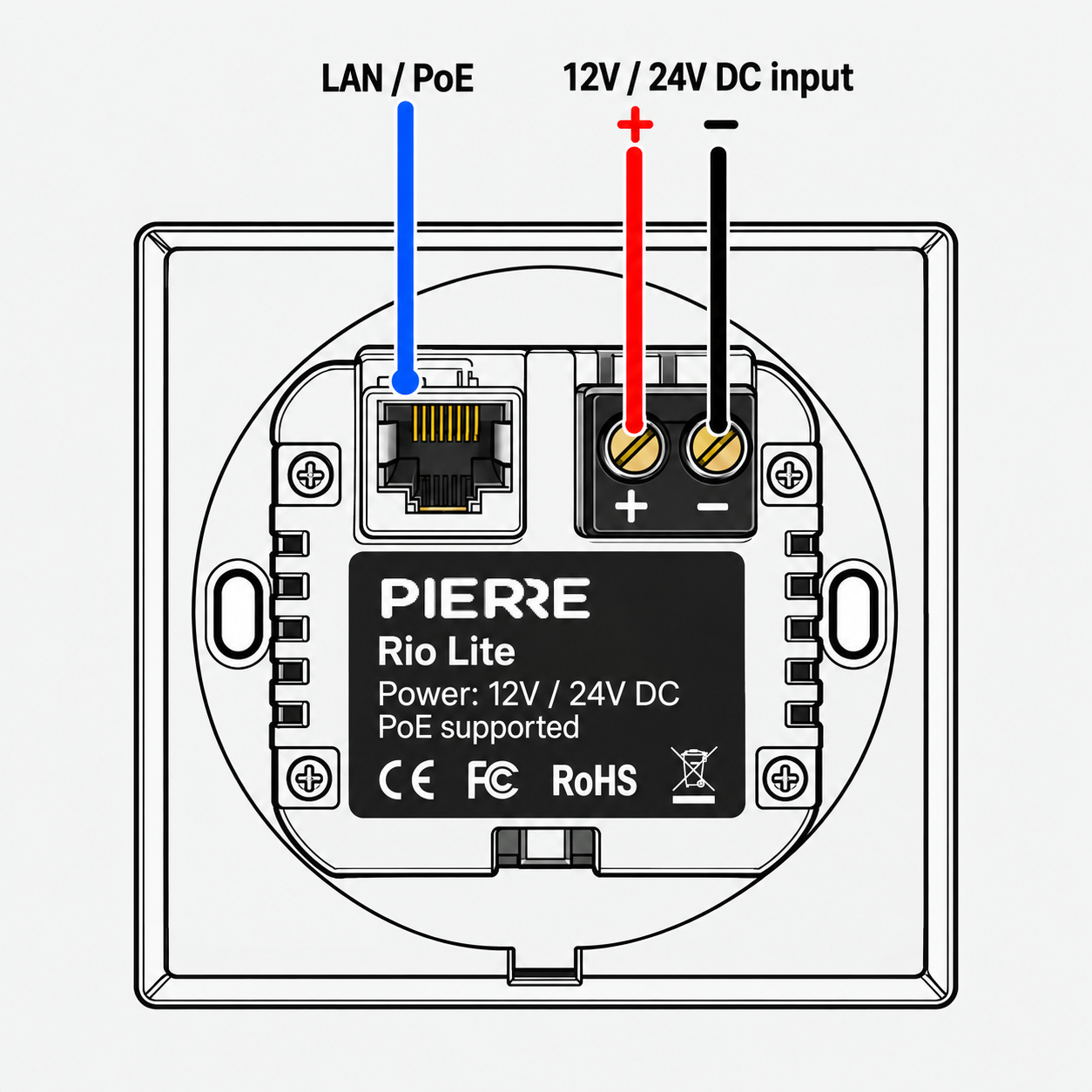
The PIERRE Rio Lite supports two power supply options: PoE or an external 12V / 24V DC power supply.
1. LAN / PoE Connector
- Connect an Ethernet cable (RJ45) to the LAN / PoE port.
- The port provides network connectivity and supports Power over Ethernet (PoE).
2. 12V / 24V DC Input
- Connect an external 12V or 24V DC power supply to the screw terminals.
- + (Positive): Connect the positive (+) wire.
- − (Negative): Connect the negative (−) wire.
- Ensure correct polarity before powering on the device.
Note: When using PoE, an external DC power supply is not required.
5. Add Display
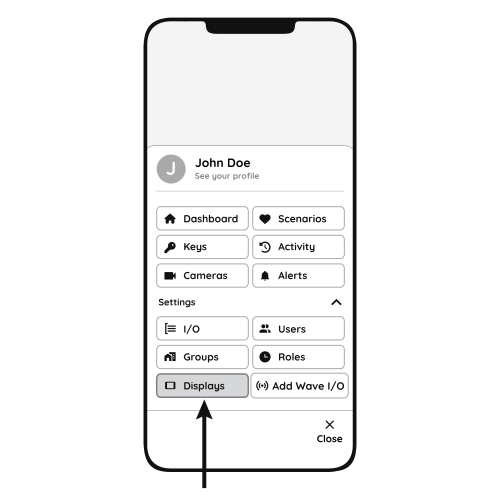
Follow the steps below to add the Helsinki display.
- Open Displays
- Open the Menu and, under Settings, tap Displays.
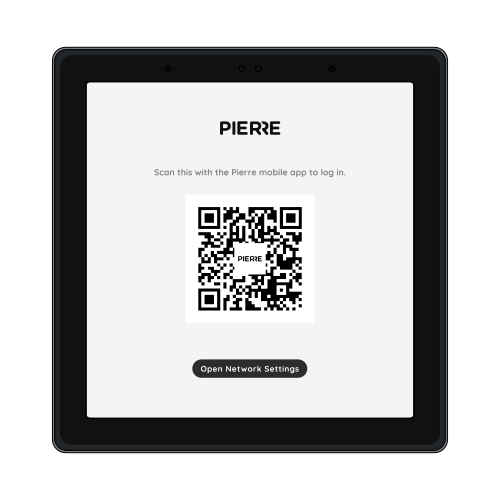
- QR code
- Scan the QR code shown on the display with your smartphone to add the Rio display, then follow the steps on the screen.
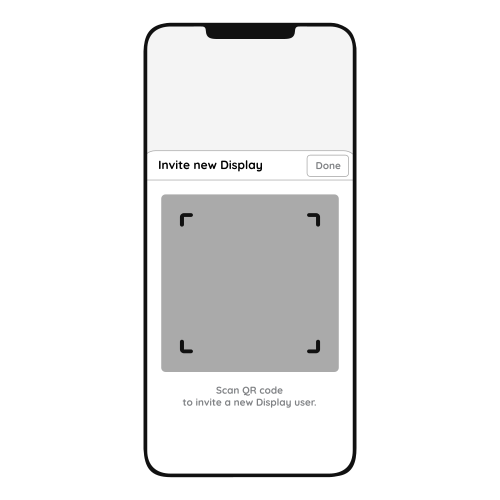
- Invite New Display
- Scanning the QR code invites the new Helsinki display to the system.
- Tap Done to confirm.
6. Video
PIERRE Academy - Full Display Integration & Automation Guide. https://www.youtube.com/watch?v=XPsZkIxCtJE
7. FAQ
Q1: What happens if the internet goes down?
The system continues to work locally without internet access, but remote access (for example controlling devices from a phone while away) is not possible.
Q2: Can the display’s sound be adjusted?
Yes. Swipe down from the top of the display to open the menu, where you find the sound settings.
Q3: Do displays need to be connected to a controller?
No. Displays connect to the system through the network, wired or wireless, and do not need a direct connection to the Controller.
Q4: Can the display size be upgraded?
Yes. A smaller display can be replaced with a larger one.
Q5: Does the Rio Lite display have a temperature sensor? Can it work as a thermostat?
Yes, the Rio display has a built-in temperature and humidity sensor. It can switch heating or cooling devices through the dashboard.
Q6: Are the displays waterproof?
No. The displays are not waterproof and are not suitable for areas exposed to moisture or rain.
Q7: Is a thermostat required?
No. A temperature sensor integrated in the PIERRE system can monitor the room temperature and control the heating/cooling devices.
Q8: Does PIERRE have its own thermostat?
Yes. PIERRE offers its own smart thermostats; see the thermostat product category.