
Smart Relay (DIN)
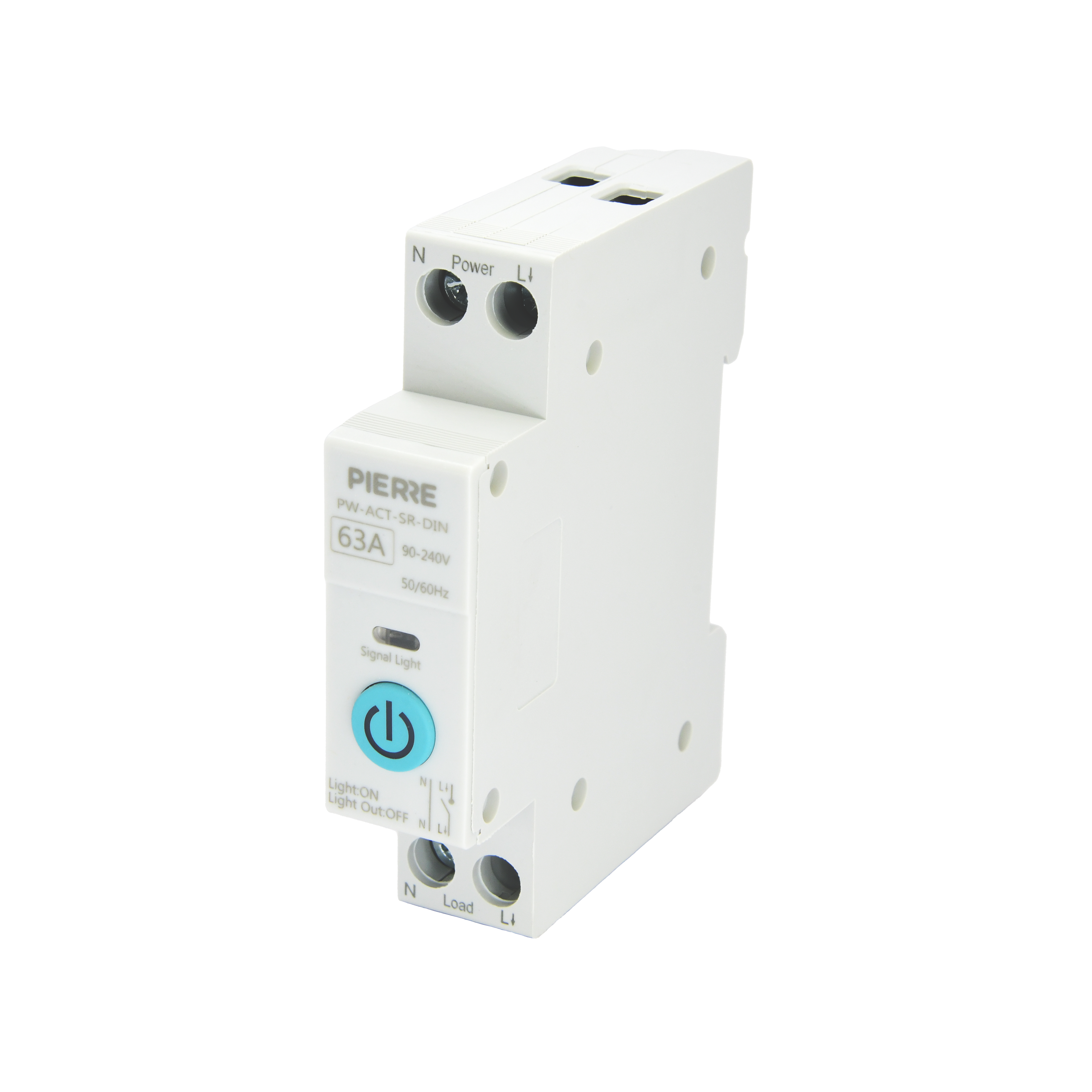
| SKU | PW-ACT-SR-DIN |
|---|---|
| Product line | PIERRE Wave |
| Category | Relays |
| Manufacturer | Tongou |
| Manufacturer SKU | TO-Q-SY1-ZT |
| GTIN / EAN | 8606034720147 |
| HS code | 8536419000 |
Overview
The PIERRE Wave Smart Relay is engineered for robust electrical systems, supporting a 63A maximum current and operating across a 90-240V AC range. Its DIN rail compatibility ensures seamless integration into standard electrical cabinets. It enables remote control and automation, making it suitable for controlling high-load systems such as lighting, water heaters, or industrial equipment.
The relay includes a power status LED for easy diagnostics and real-time system monitoring, and its design adheres to international safety standards, including certifications ensuring reliability and safety in operation.
Key features
63A current capacity, 90-240V AC operating range, DIN rail mountable, power status LED
Technical specifications
| Electrical | |
|---|---|
| Power Supply | 90-240V AC 50-60Hz |
| Over Voltage Range | 240V – 295V |
| Current | 63.0 A |
| Under Voltage Range | 90V - 220V |
| Connectivity | |
| Connectivity | Zigbee |
| Physical | |
| Panel Material | PA66 polyamid |
| Product Color | White |
| Mounting Type | DIN |
| Wiring Requirements | N - Neutral, L - Line |
| Features | |
| LED Indicators | Yes |
| Environmental | |
| Operating Temperature (°C) | -10°C ~ +55°C |
| Operating Temperature | +14°F ~ +131°F |
| IP Rating | IP20 |
| Safety | |
| Safety Features | Overload, Short Circuit, Thermal Protection, Surge Protection |
| Control | |
| Number of Channels | 1 channel |
Physical & packaging
| Dimensions (L × W × H) | 18 × 84 × 67 mm |
|---|---|
| Weight | 96 g |
| Box dimensions (L × W × H) | 24 × 89 × 73 mm |
| Box weight | 119 g |
User manual
- 1. Product Description
- 2. Product Size
- 3. System requirements
- 4. Technical Specification
- 5. Safety Instructions
- 6. Installation
- 7. LED Indicator Description
- 8. Cable and wiring
- 9. App-to-Device Pairing
1. Product Description
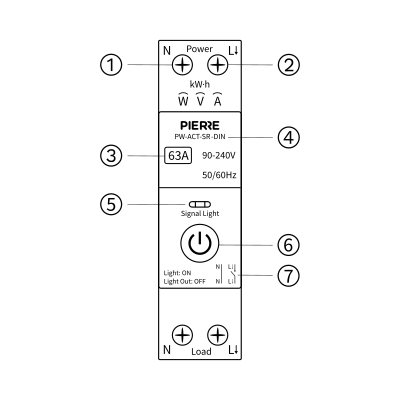
- N Pole
- L Pole
- Rated Current
- Model Number
- LED indicator
- Button Switch
- Circuit Diagram
2. Product Size
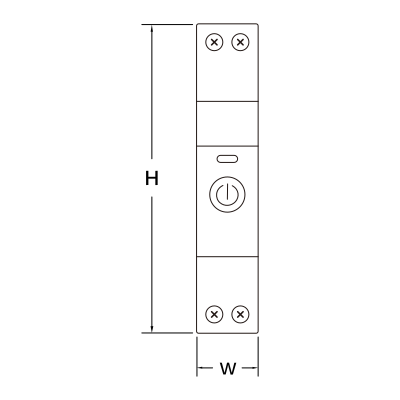
W: 18 mm
H: 82 mm
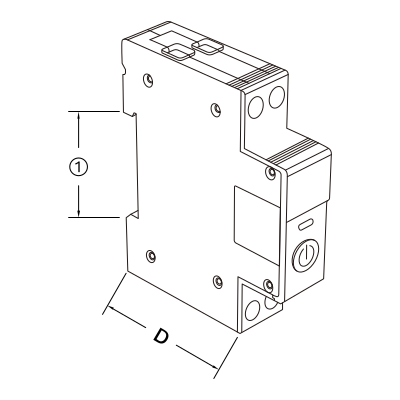
D: 51 mm
- 35 mm
3. System requirements
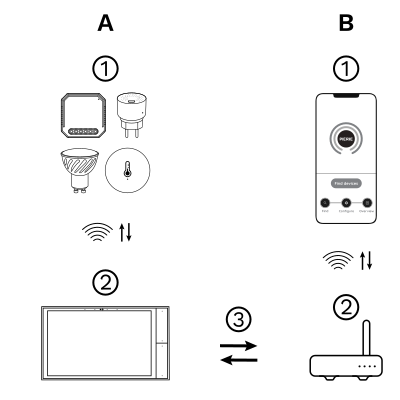
The PIERRE Wave (Zigbee 3.0, 2.4 GHz) system consists of the following components.
Required
- PIERRE Wave products: switches, modules, sensors, thermostats and other devices. They connect wirelessly to the gateway.
- Gateway: a PIERRE display and/or gateway. It links all PIERRE Wave devices and handles the communication with the app.
Optional
- Smart PIERRE app: control and monitoring from a smartphone or tablet. Not required for basic operation.
- Router: gives the gateway internet access for remote control.
Operation: the gateway connects to the router by Wi-Fi or LAN. PIERRE Wave products communicate wirelessly with the gateway in both directions: commands are sent and status updates are received through the Smart PIERRE app.
What you need
Zigbee gateway: a PIERRE display and/or gateway. One of those must already be commissioned before the device can be added.
4. Technical Specification
5. Safety Instructions
- Installation must be performed by a qualified electrician.
- Always disconnect the mains power supply before wiring or maintenance.
- Ensure the maximum rated current (63 A) is not exceeded.
- The relay must be installed in a dry, ventilated environment on a DIN rail.
- Do not cover the ventilation openings.
- Comply with local electrical regulations.
6. Installation
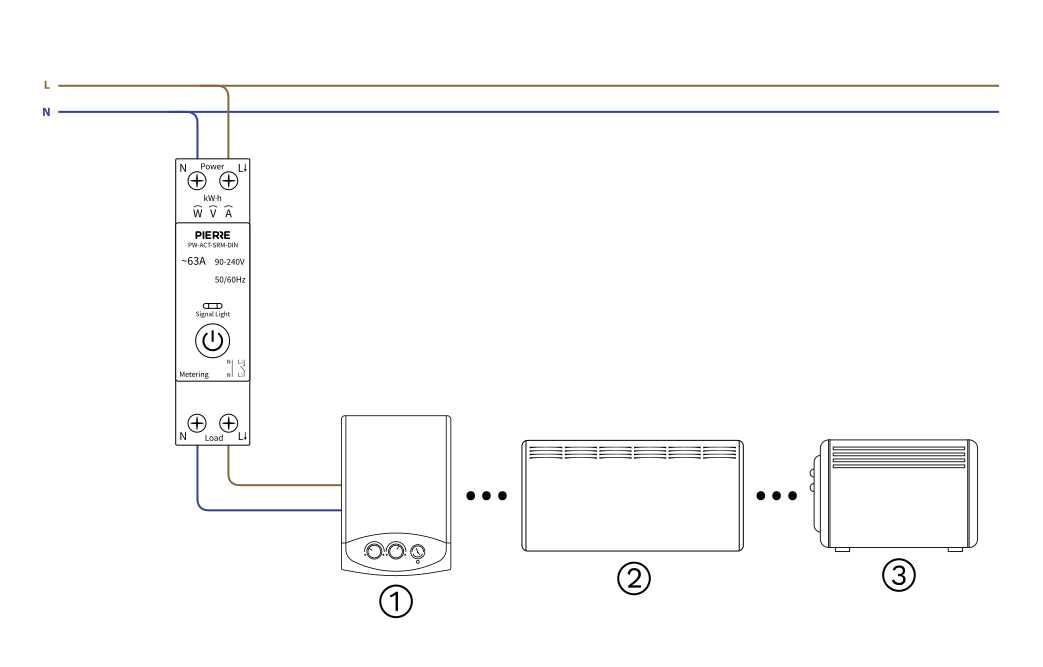
- Mount the relay securely on a DIN rail.
- Connect L (Live) and N (Neutral) from the mains to the upper terminals marked Power.
- Connect the load (e.g. water heater, convector, radiator) to the lower terminals marked Load.
- N → Neutral to the load
- L → Live to the load
- Tighten all screws and verify the connections.
- Switch on the mains power and check the LED indicator.
Diagram reference:
- Water heater
- Convector heater
- Radiator
7. LED Indicator Description

The LED indicator flashing blue indicates the network pairing mode

The LED indicator solid blue shows the switch is on

The LED off indicates the switch is off
8. Cable and wiring
| Run | Wires | Cross-section | Cable type | Conductors |
|---|---|---|---|---|
| From distribution board to smart relay | 2 | 1.5 mm² | NYM-O | L, N |
| From smart relay to load | 2 | 1.5 mm² | NYM-O | L, N |
Two runs, two conductors each. The first brings the supply from the distribution board into the relay; the second carries the switched output from the relay to the load. Both are line and neutral only — no signal wire, because the relay is commanded over Zigbee rather than by a physical input.
9. App-to-Device Pairing
Please scan the QR code to download PIERRE application
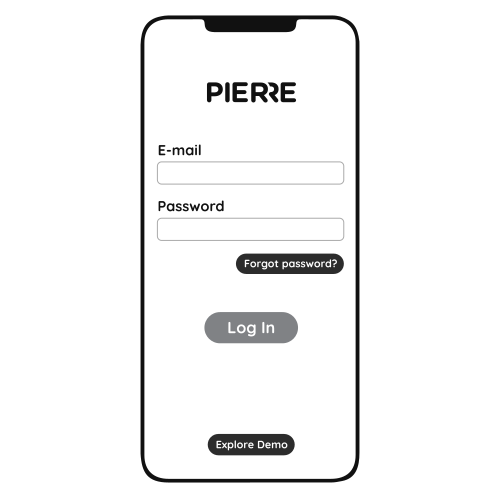
Log in with your Username and Password
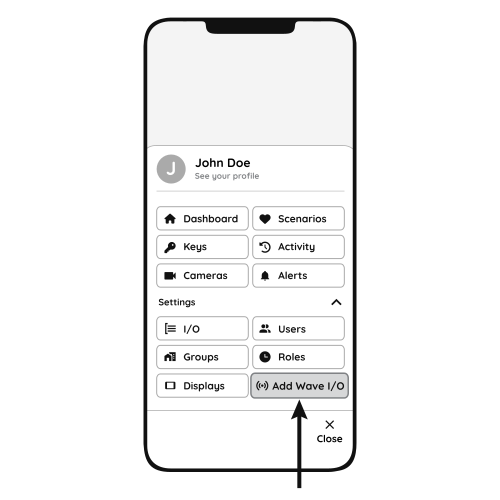
Open Settings and press "Add Wave I/O"
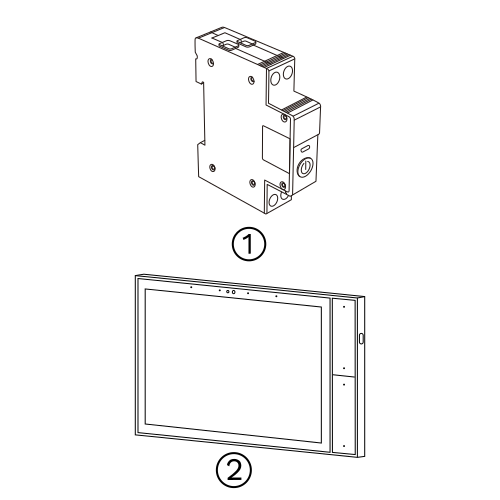
Press and hold the Button Switch for 10 seconds until the Indicator Light starts flashing
- Smart Relay
- PIERRE Wave Gateway
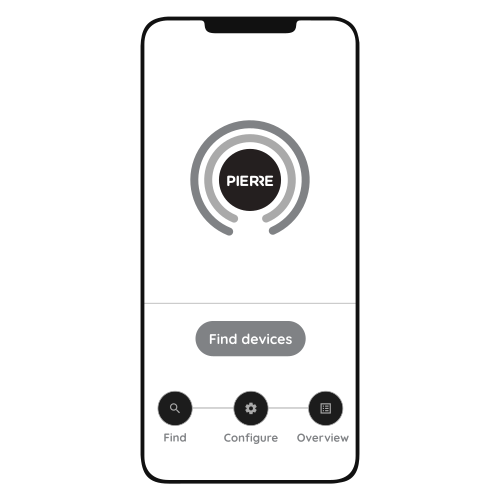
Press "Find Devices"
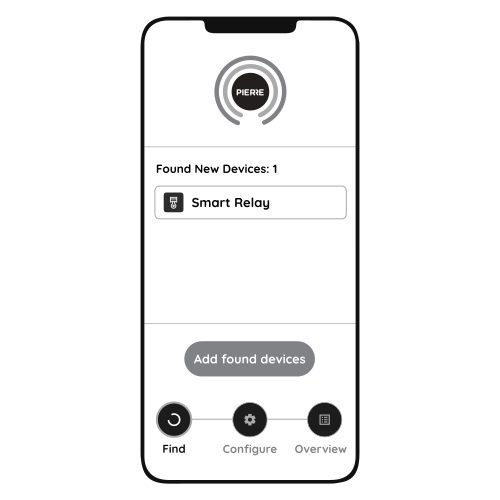
PIERRE application will show the list of available devices. Press "Add found devices"
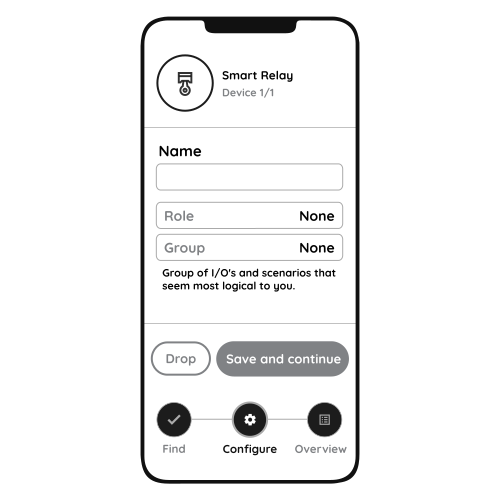
Enter Name, Role and Group settings and Save it
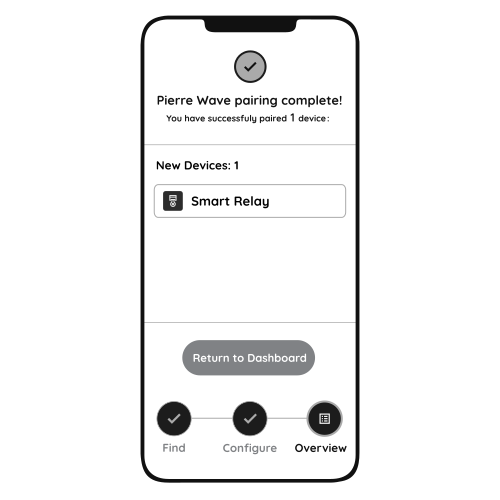
When the Light indicator stops flashing, the PIERRE Wave pairing process is finished