
Temperature and Humidity Sensor (with Display)
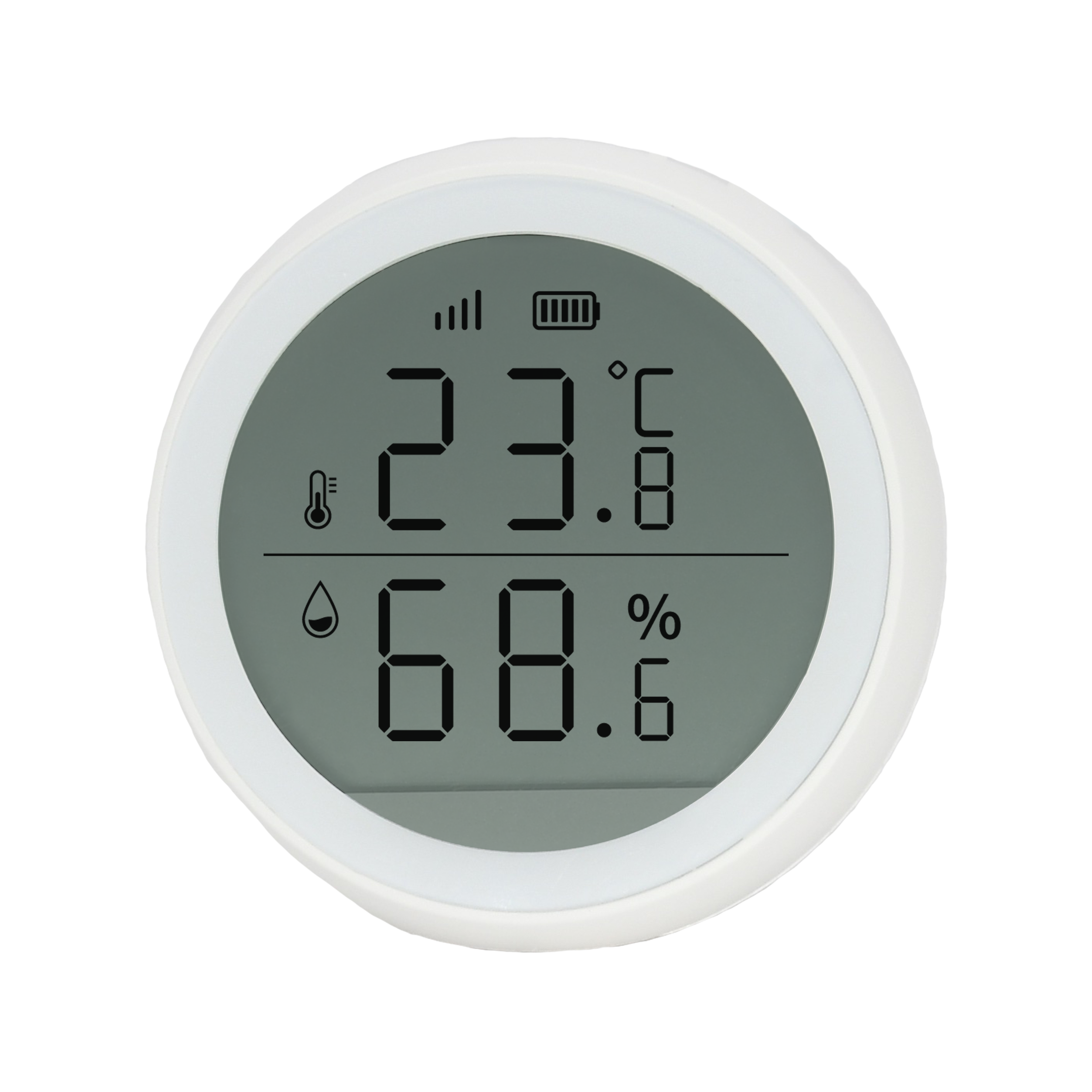
| SKU | PW-SNS-TEMP2 |
|---|---|
| Product line | PIERRE Wave |
| Category | Sensors / Temperature & Humidity sensors |
| Manufacturer | RSHTech |
| Manufacturer SKU | RSH-Zigbee-HS03 |
| GTIN / EAN | 8606034720512 |
| HS code | 9032102000 |
Overview
The PIERRE Wave Temperature and Humidity Sensor with Display does the same job as the sensor without a screen, with one difference that matters in a client-facing room: the reading is visible on the device, so an occupant can see the room condition without opening an app.
It measures from -10 °C to +50 °C and across 0-99 % RH, and reports to the PIERRE system where the readings can drive heating, ventilation or alerts.
It runs from three AAA cells, giving 4.5 V. The housing is ABS+PC in white. It reports low battery, and protection covers battery low cut-off, thermal, anti-flammable housing and electrostatic.
It communicates over PIERRE Wave (Zigbee 3.0, 2.4 GHz). Being battery powered it does not route for other PIERRE Wave devices.
Key features
- Temperature and humidity with local display
- Range -10 to +50 °C, 0-99 % RH
- Three AAA cells (4.5 V), low-battery reporting
- PIERRE Wave (Zigbee 3.0, 2.4 GHz)
Technical specifications
| Electrical | |
|---|---|
| Power Supply | DC 3V |
| Environmental | |
| Operating Temperature | +14°F - +104°F |
| Operating Temperature (°C) | -10 - +50 |
| Operating Humidity | 0 - 99 % RH |
| Features | |
| Low Battery Indication | Yes |
| Physical | |
| Panel Material | ABS+PC material |
| Product Color | White |
| Connectivity | |
| Connectivity | Zigbee |
| Safety | |
| Safety Features | Battery low cut-off, Thermal protection, Anti-flammable housing, Electrostatic protection |
| Sensors | |
| Built-in Sensors | Temperature, Humidity |
Physical & packaging
| Dimensions (L × W × H) | 61 × 22 × 61 mm |
|---|---|
| Weight | 41 g |
| Box dimensions (L × W × H) | 63 × 41 × 63 mm |
| Box weight | 54 g |
User manual
- 1. Product Size
- 2. Product Description
- 3. System requirements
- 4. Technical Specification
- 5. Power on the device
- 6. Installation
- 7. App-to-Device Pairing
- 8. Video
- 9. FAQ
1. Product Size
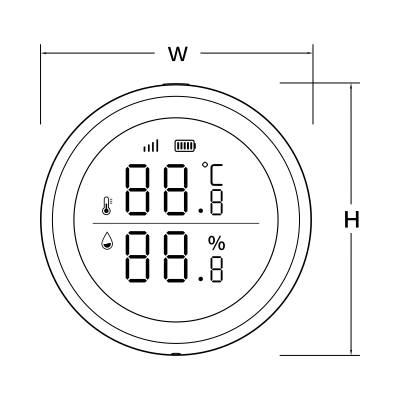
- W: 61 mm
- H: 61 mm
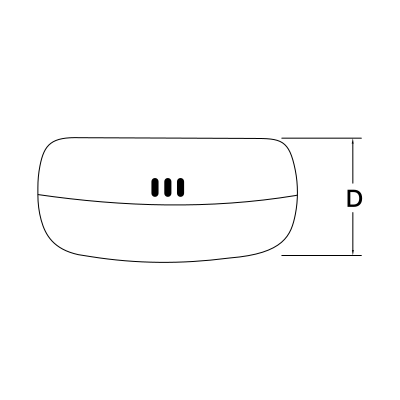
- D: 27 mm
2. Product Description
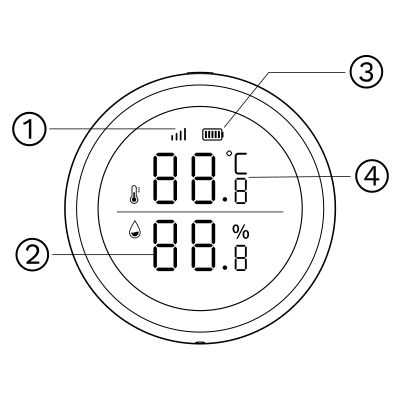
- Wireless signal
- Humidity
- Battery level
- Temperature
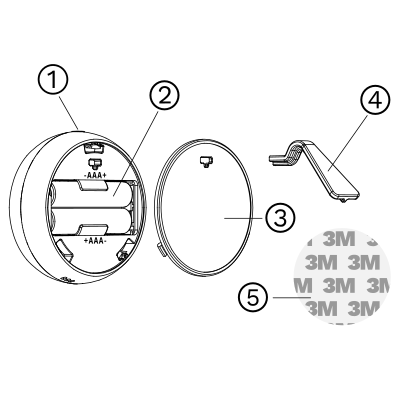
- Reset button
- Battery slots
- Battery cover
- Support
- 3M sticker
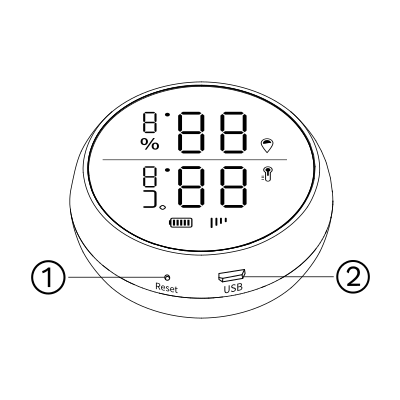
- Reset button
- USB interface
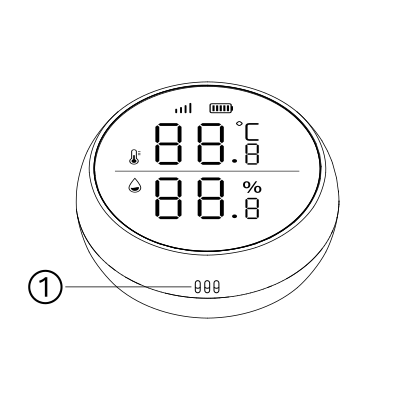
- Vent
3. System requirements
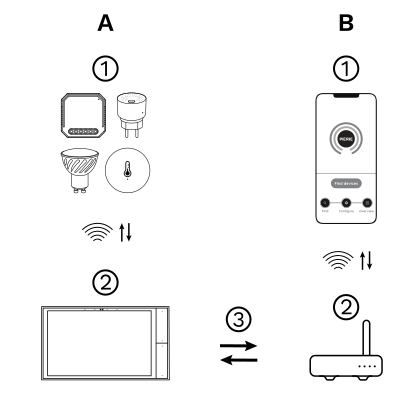
The PIERRE Wave (Zigbee 3.0, 2.4 GHz) system consists of the following components.
Required
- PIERRE Wave products: switches, modules, sensors, thermostats and other devices. They connect wirelessly to the gateway.
- Gateway: a PIERRE display and/or gateway. It links all PIERRE Wave devices and handles the communication with the app.
Optional
- Smart PIERRE app: control and monitoring from a smartphone or tablet. Not required for basic operation.
- Router: gives the gateway internet access for remote control.
Operation: the gateway connects to the router by Wi-Fi or LAN. PIERRE Wave products communicate wirelessly with the gateway in both directions: commands are sent and status updates are received through the Smart PIERRE app.
What you need
- A PIERRE display and/or gateway for the PIERRE Wave (Zigbee 3.0, 2.4 GHz) network.
- Two AAA batteries, or a USB supply through the USB interface. No wiring.
4. Technical Specification
5. Power on the device
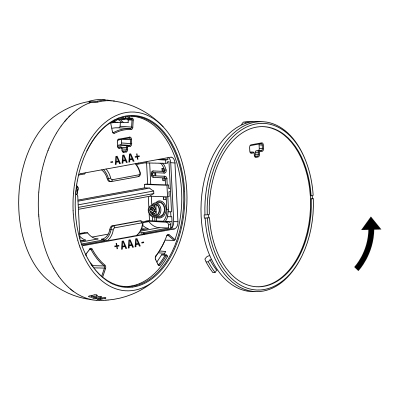
- Rotate the battery cover counterclockwise to open it.
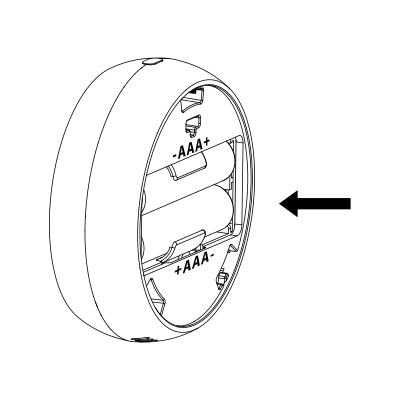
- Insert two AAA batteries.
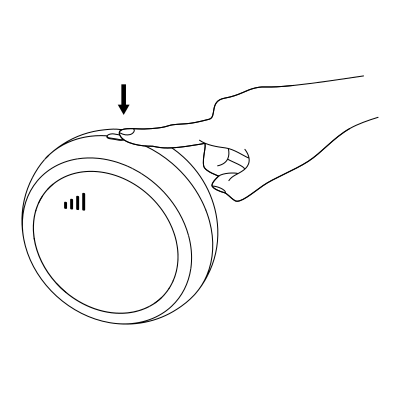
- Click the button once to switch between °C/°F, and double-click the button to immediately update the temperature and humidity data.
6. Installation
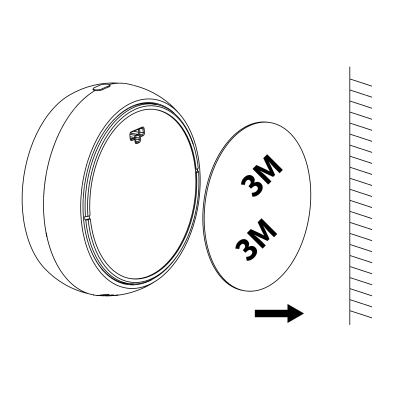
There are two methods for installation:
- Attach the product to the target position using the 3M adhesive sticker.
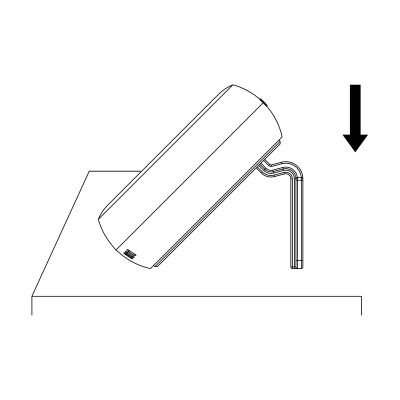
- Place the product on the table.
7. App-to-Device Pairing
Please scan the QR code to download PIERRE application
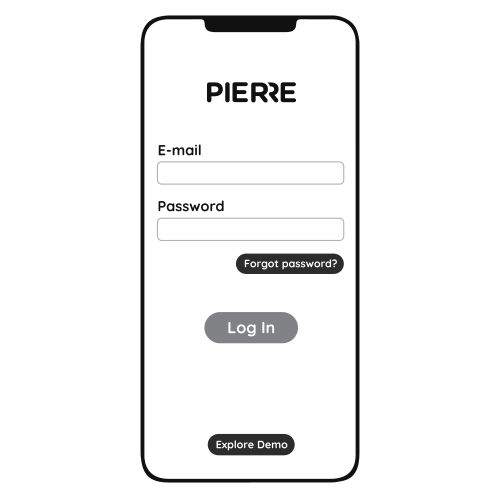
Log in with your Username and Password
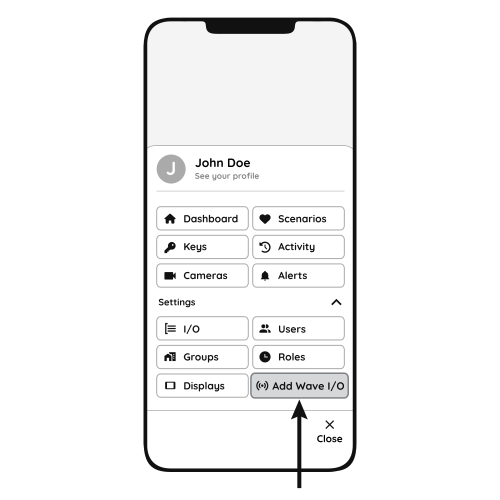
Open Settings and press "Add Wave I/O"
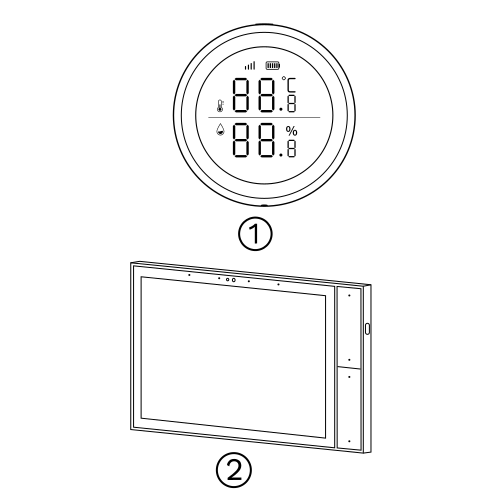
Press and hold the Reset button for 5 to 10 seconds. When the signal icon on the display starts flashing rapidly, release the button. Do not hold it longer than 10 seconds, otherwise pairing is cancelled.
- Reset button on the temperature sensor
- PIERRE Wave gateway
Pairing mode lasts 20 seconds; the signal icon keeps flashing during this time. When pairing succeeds the signal icon stays on; if it fails the icon disappears. Repeat the reset if needed.
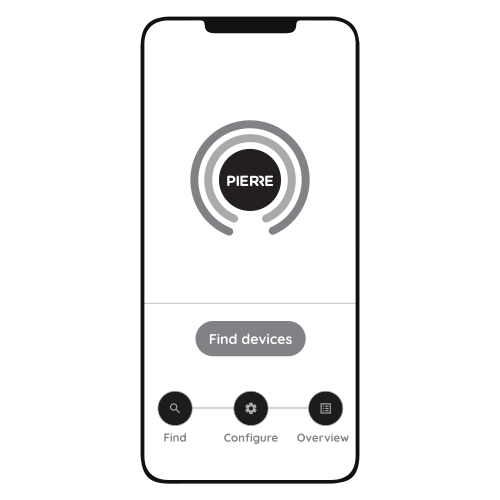
Press "Find Devices"
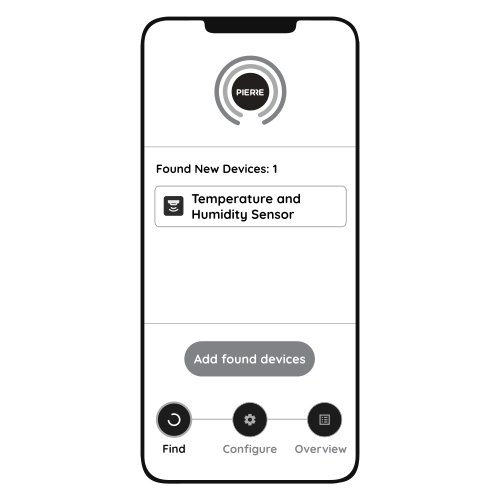
PIERRE application will show the list of available devices. Press "Add found devices"
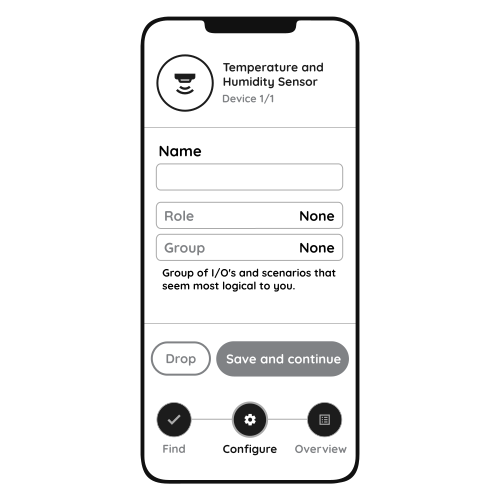
Enter Name, Role and Group settings and Save it
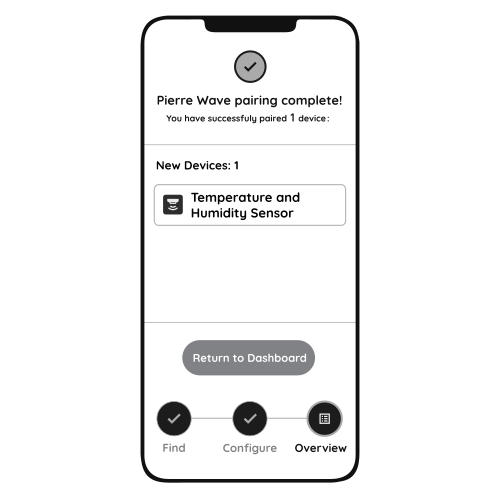
When the Light indicator stops flashing, the PIERRE Wave pairing process is finished
8. Video
Commissioning walkthrough for the Wave temperature and humidity sensor. https://www.youtube.com/watch?v=sy6ix_zDCwM
9. FAQ
Q1: Where should the sensor be installed?
At eye level (about 1.5 m), away from draughts, direct sunlight, heat sources and external walls.
Q2: How many sensors do I need?
One per room or zone where you want to measure or control temperature and humidity.
Q3: Does it need calibrating?
Not always. Calibrate if the reading disagrees with a reference thermometer, or if the sensor sits where electronics, sunlight or poor airflow affect it. In the Smart PIERRE app an offset can be set for the temperature and humidity values.
Q4: Where should the humidity sensor be placed?
Where moisture matters most (bathroom, kitchen, cellar), at head height and in free air. Do not hide it behind furniture or in a cavity; it needs airflow to measure correctly.