
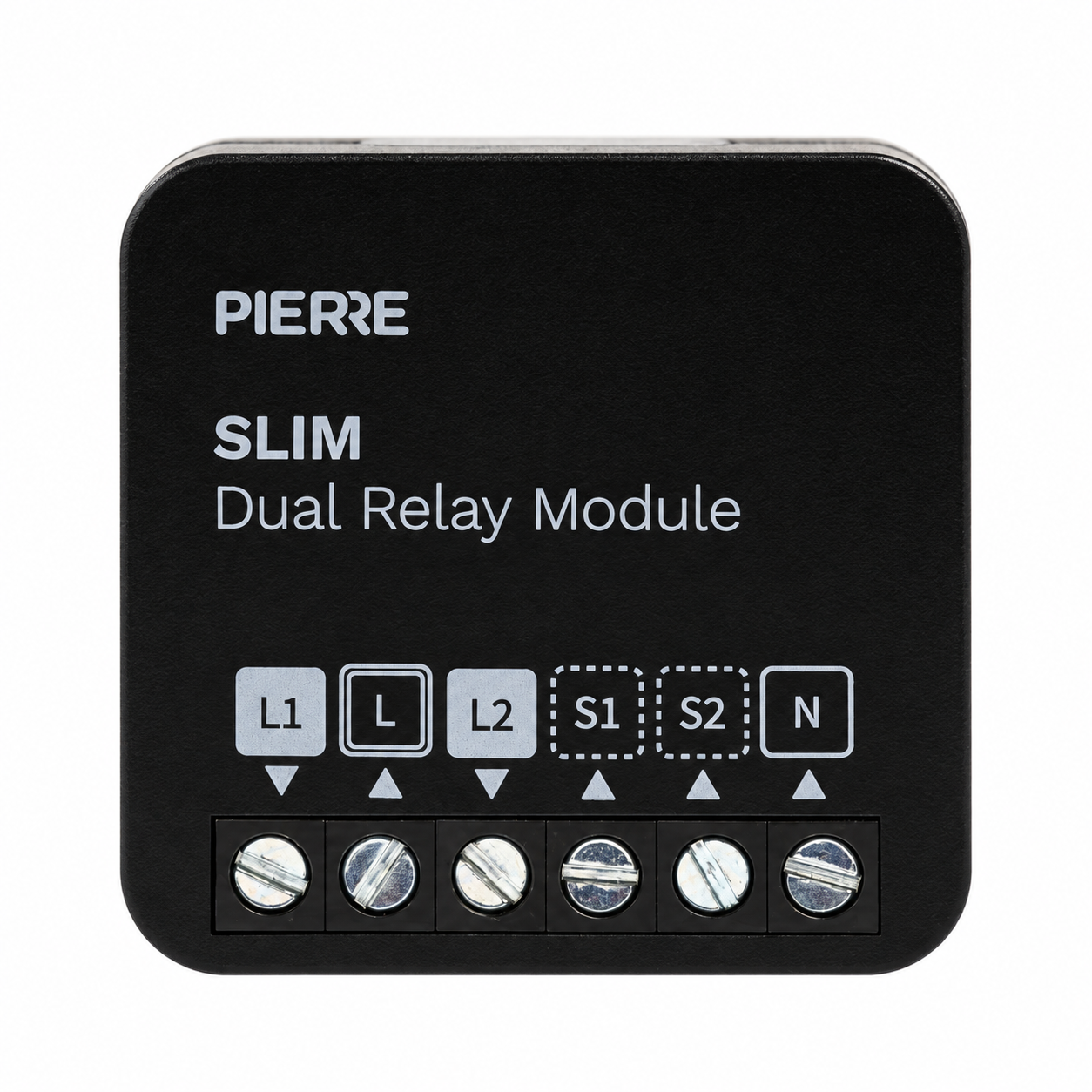
PIERRE Slim – Dual Relay Module (L+N)
Set up the PIERRE Slim Dual Relay Module: 1-gang light, 2-gang light or 1-gang blind mode, wiring and cables, pairing in the Smart PIERRE app, indicator light, reset and settings.
Description
The PIERRE Slim – Dual Relay Module (L+N) is a compact PIERRE Wave (Zigbee) relay module that fits behind a wall switch. It has two relay outputs and two switch inputs, and its function is chosen when it is added in the Smart PIERRE app. You choose one of three: 1-gang light (one lighting circuit), 2-gang light (two independent lighting circuits) or 1-gang blind/curtain (one motorized blind or curtain).
It needs live and neutral (L+N), so it is a mains-powered Zigbee router: it also extends the PIERRE Wave network for other devices.
Technical Data
- Power supply: 100–230 V AC, 50–60 Hz, L + N.
- Channels: 2 relay outputs.
- Max load: resistive 200 W per channel, LED lights 150 W per channel.
- Connectivity: Zigbee (PIERRE Wave).
- Protections: overload, overvoltage, short circuit, thermal, electrostatic and surge protection.
- Indicator light and Reset key.
- IP20, −10 °C to +40 °C, ≤ 80 % RH.
- Dimensions: 39 × 38 × 15 mm, 22 g.
Terminals
- L – live in, N – neutral.
- L1, L2 – relay outputs (light 1 and 2, or blind motor UP and DOWN; in 1-gang light mode only L1 and S1 are used).
- S1, S2 – switch inputs for the wall switch or push buttons.
Good to Know
- The traditional wall switch keeps working, also without internet, and the module can be controlled from the PIERRE displays.
- After a power cut each relay returns to its last state.
- In blind mode the UP and DOWN relays are never active at the same time; there is a short pause when the direction changes.
Indicator Light and Reset Key
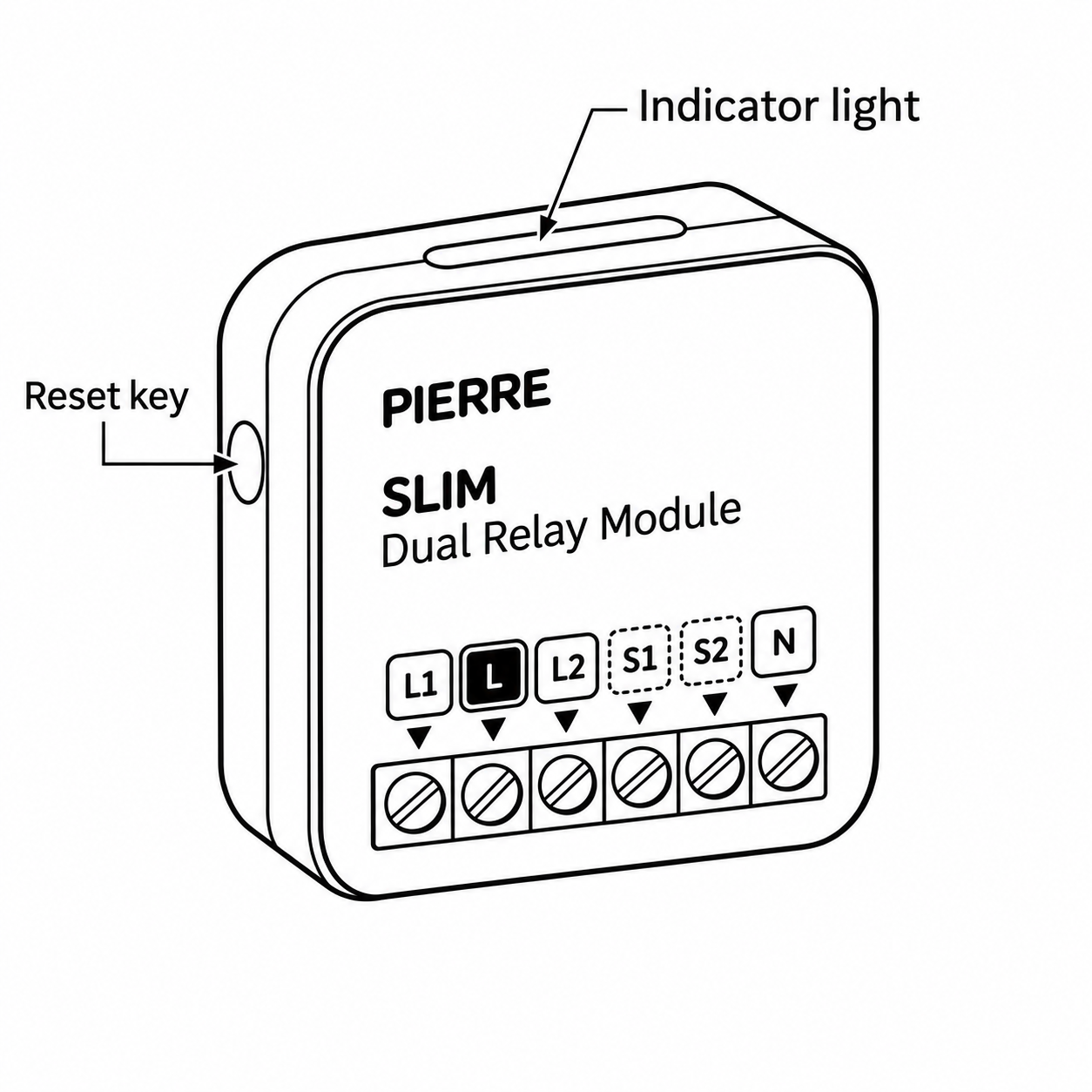
PIERRE Slim Dual Relay Module – indicator light, Reset key and terminals
Dimensions
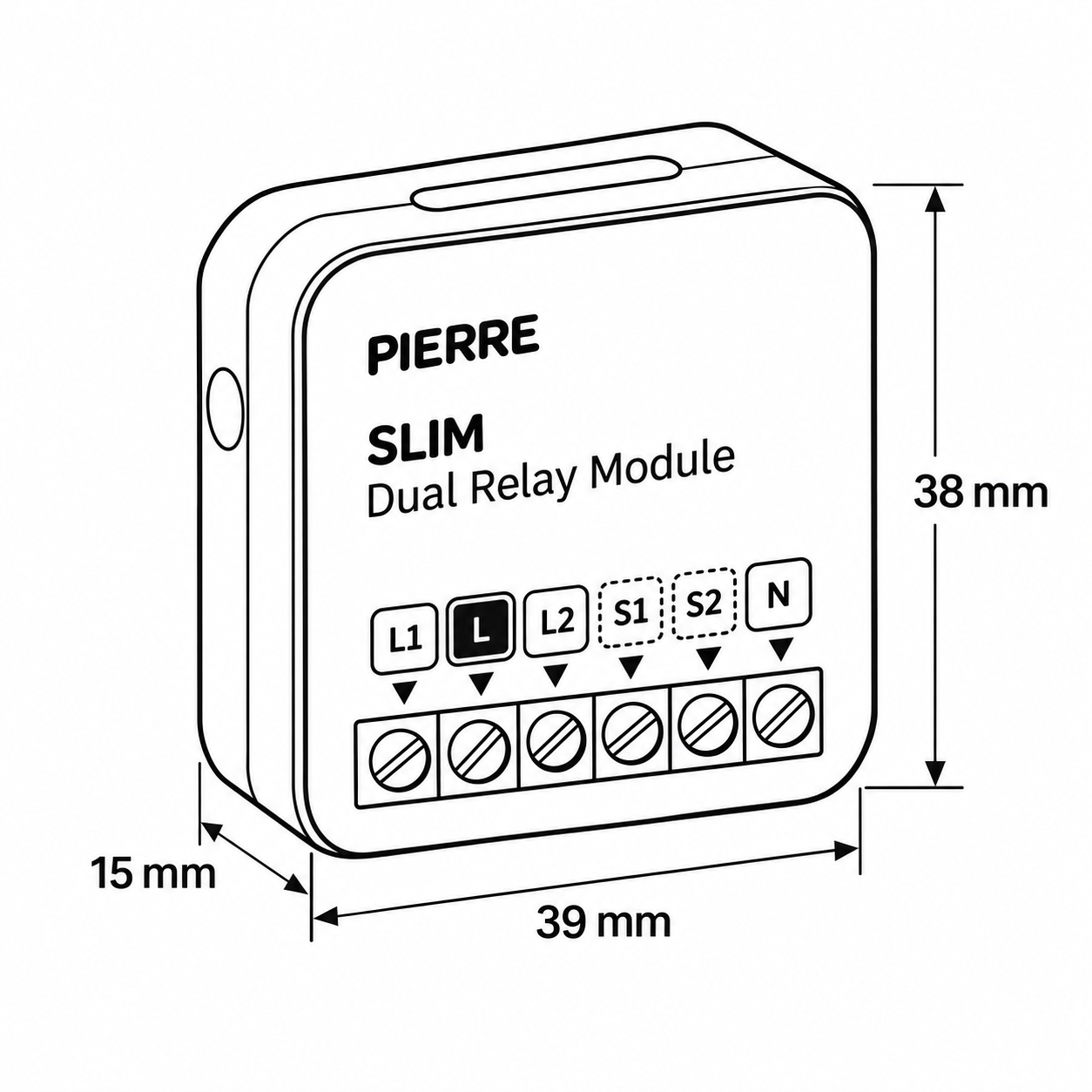
PIERRE Slim Dual Relay Module – 39 × 38 × 15 mm
Wiring
Switch off the power before wiring. Connect live to L and neutral to N.
- 1-gang light: connect the lamp to L1 and the wall switch to S1.
- 2-gang light: connect lamp 1 to L1 and lamp 2 to L2. Connect the wall switches to S1 and S2.
- 1-gang blind or curtain: connect the motor (230 V AC) UP and DOWN wires to L1 and L2. Connect the UP push button to S1 and the DOWN push button to S2 (momentary buttons).
Recommended cable: 3 × 1.5 mm² (230 V), minimum 3 × 1 mm². Always select the cable according to the local regulations.
2-gang light wiring
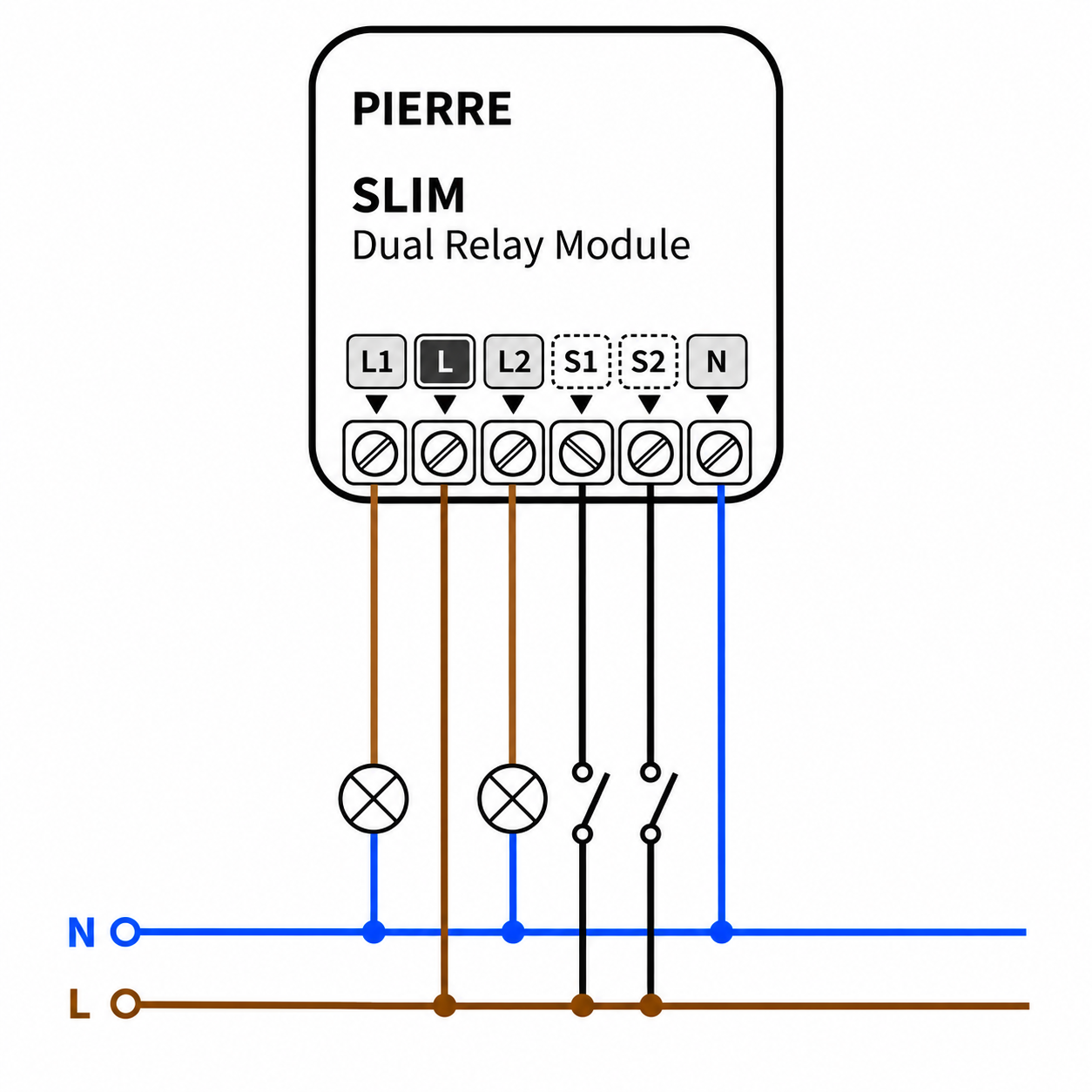
Slim Dual Relay Module – 2-gang lights
1-gang blind or curtain wiring
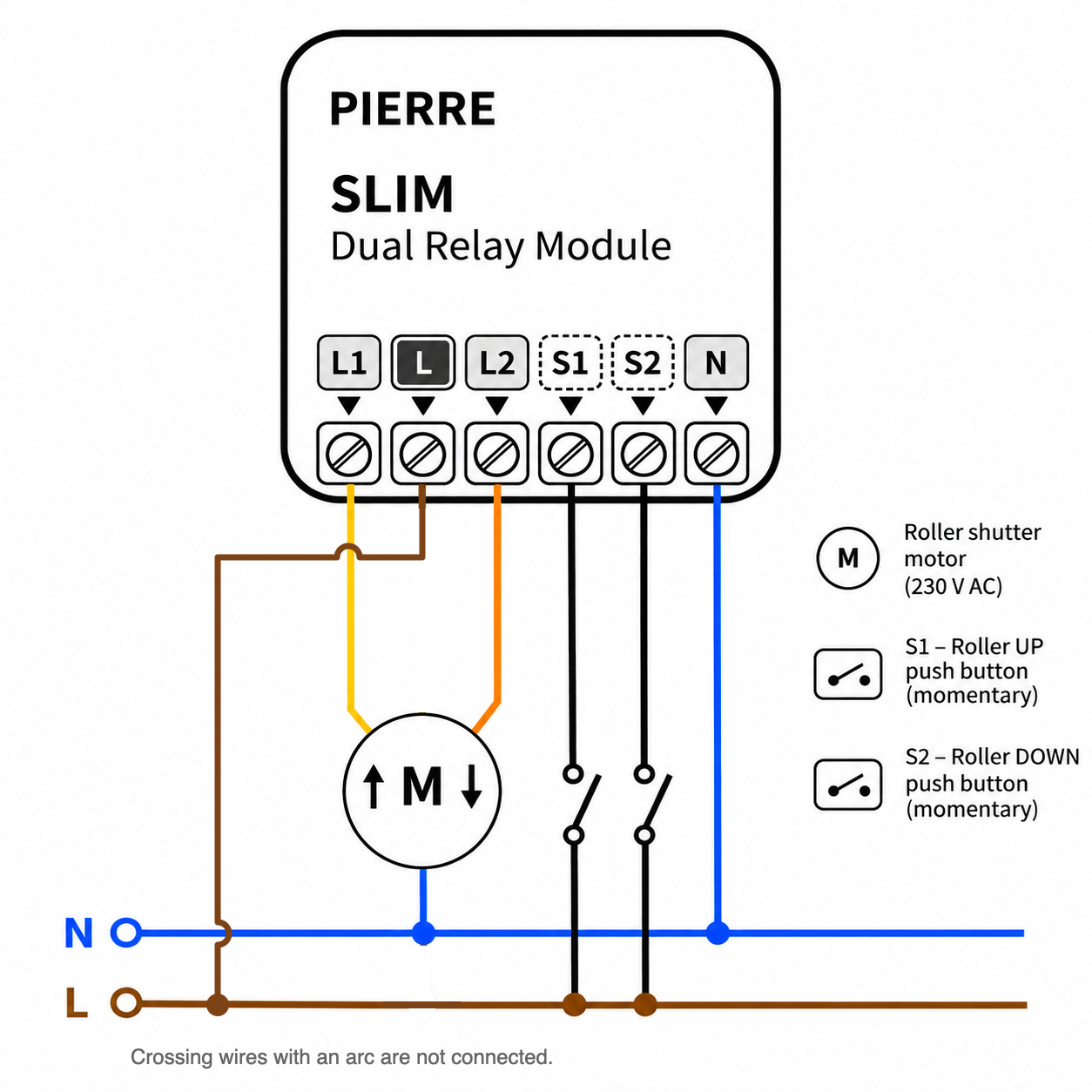
Slim Dual Relay Module – 1-gang blind or curtain (S1 UP, S2 DOWN push buttons)
Cables
| Positions | wires | diameter | type | comment | category |
|---|---|---|---|---|---|
| From electric box to the module | 3 | 1.5 mm² (min. 1 mm²) | - | L, N, PE – according to local regulations | Required |
| From the module to the light or blind motor | 3 | 1.5 mm² (min. 1 mm²) | - | L1 / L2, N, PE | Required |
| From the wall switch or push buttons to the module | according to the switch | 1.5 mm² (min. 1 mm²) | - | S1, S2 | Optional |
System Requirements
The module needs a PIERRE Wave Gateway: a PIERRE display or gateway that manages the Zigbee devices. The Smart PIERRE app and a router (for internet and remote access) are optional for basic operation, but the app is needed to add and set up the module.
PIERRE Wave system
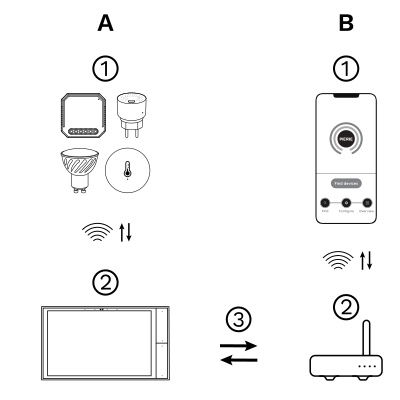
PIERRE Wave system: Wave products, gateway, app and router
Add the Module in the Smart PIERRE App
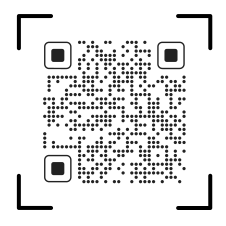
Open the Smart PIERRE app
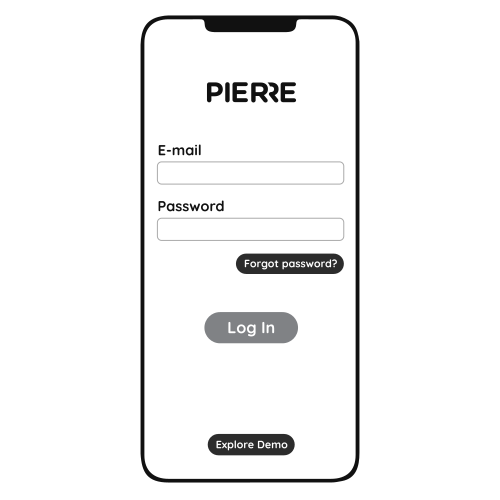
Log in
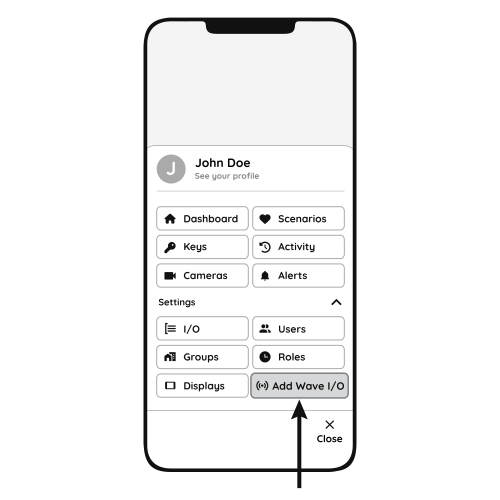
Add Wave I/O
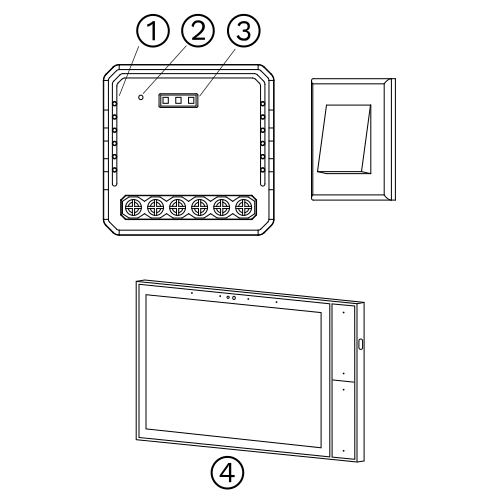
Put the module in pairing mode
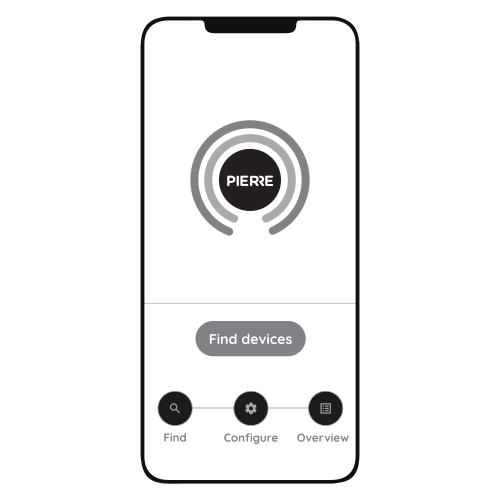
Find the devices
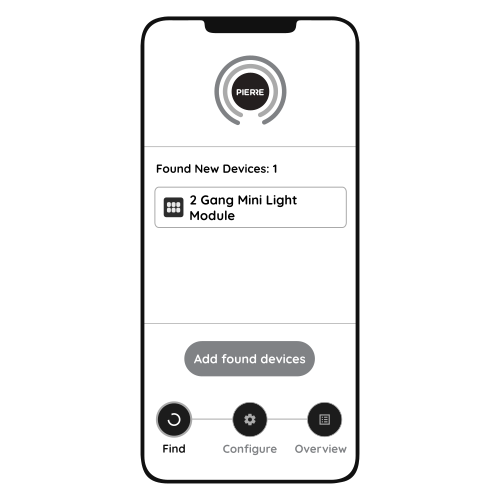
Add the found device
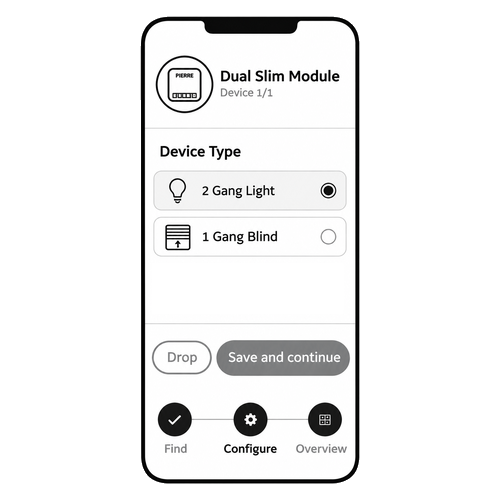
Choose the function and the input type
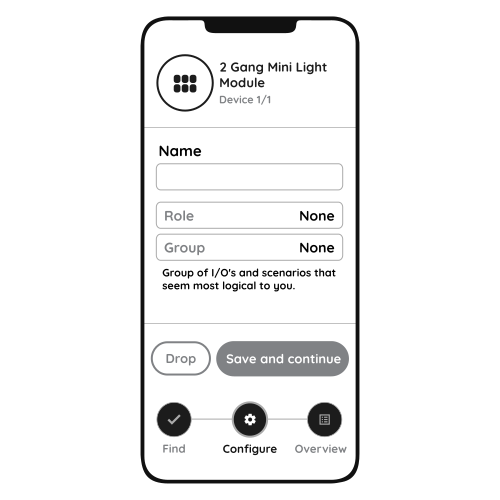
Name, role and group
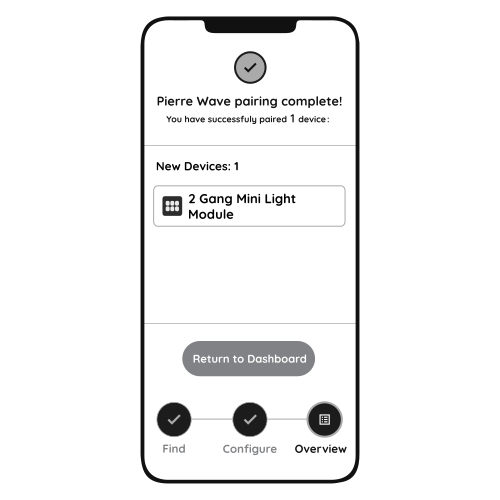
Pairing finished
Indicator Light
| Light | Meaning |
|---|---|
| Blue, pulsing | Pairing mode |
| Green | Online |
| Red | Offline or left the network |
| White, steady | Not set up yet (no function chosen), or after a factory reset |
| Amber | Firmware update in progress |
Reset and Changing the Function
- Re-pair: hold the Reset key for 5 seconds, until the light pulses blue, then release it. The module leaves its network but keeps its function (light or blind).
- Factory reset: keep holding the Reset key for 10 seconds, until the light turns steady white. The function is erased and the module enters pairing mode again.
- To change the function (for example from light to blind), do a factory reset and add the module again.
- Removing the module from the gateway in the app also resets it.
- A short press restarts the module.
Input Type and Blind Settings
Switch Input Type
Chosen when the module is added in the app:
- Button (default): momentary push button – the light toggles on each press.
- Switch: latching rocker or two-way switch – the light toggles on every change of the switch, in both directions.
A factory reset sets the input type back to Button.
Blind Mode
- The position is calculated from the travel time: calibrate the blind in the app with the Lifting Time and Release Time (see Calibrate the Blind).
- If the blind moves the wrong way, use the inverted motor direction option in the app.
Calibrate the Blind (1 Gang Blind Mode)
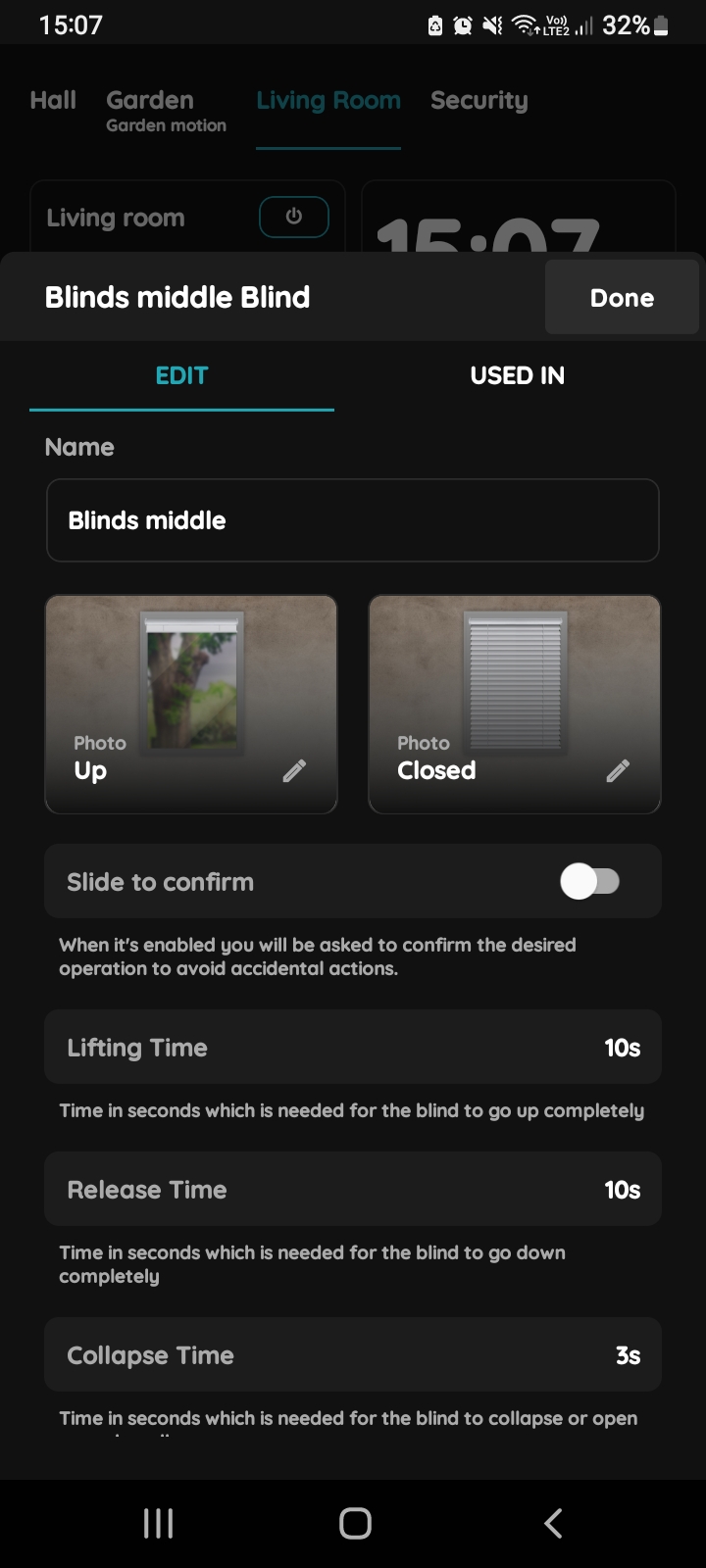
Open the blind settings
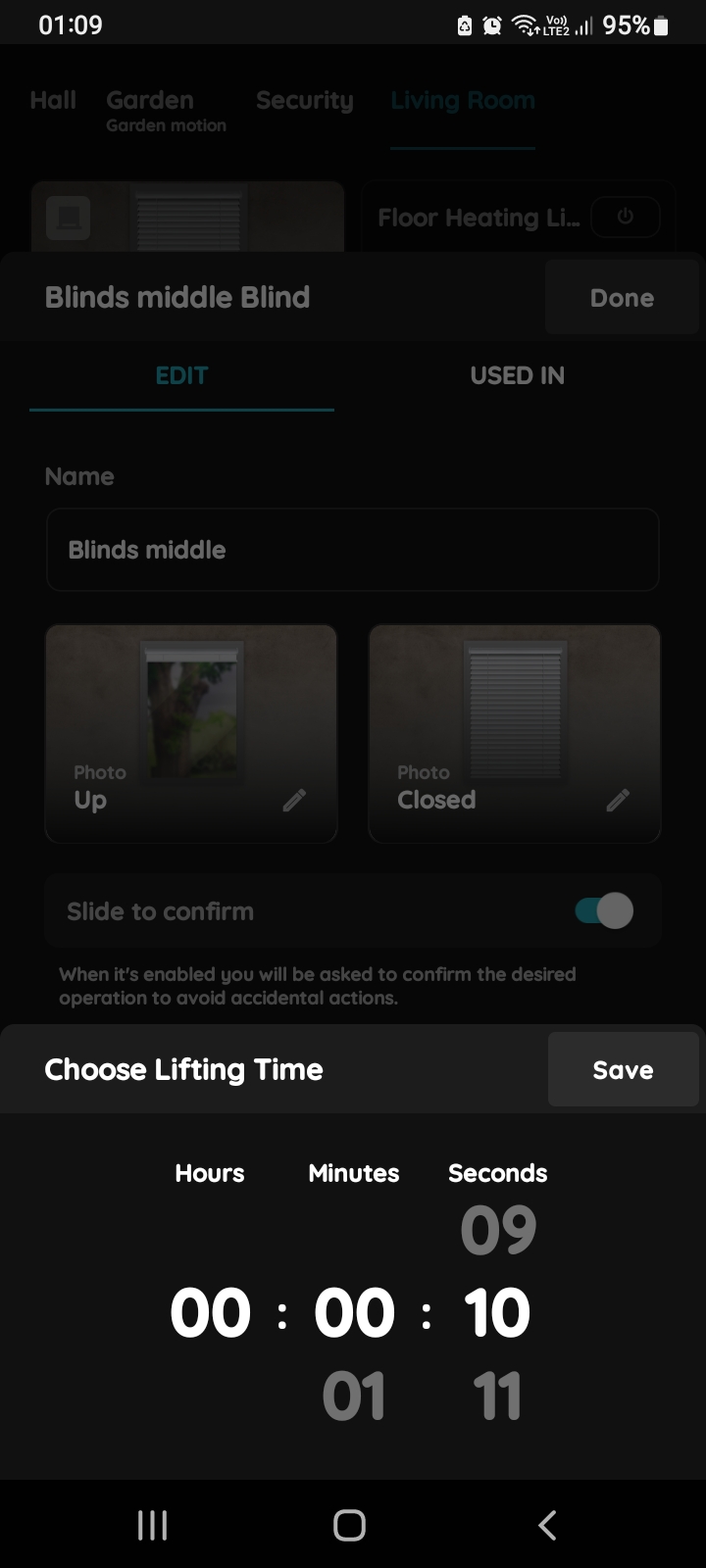
Set the Lifting Time
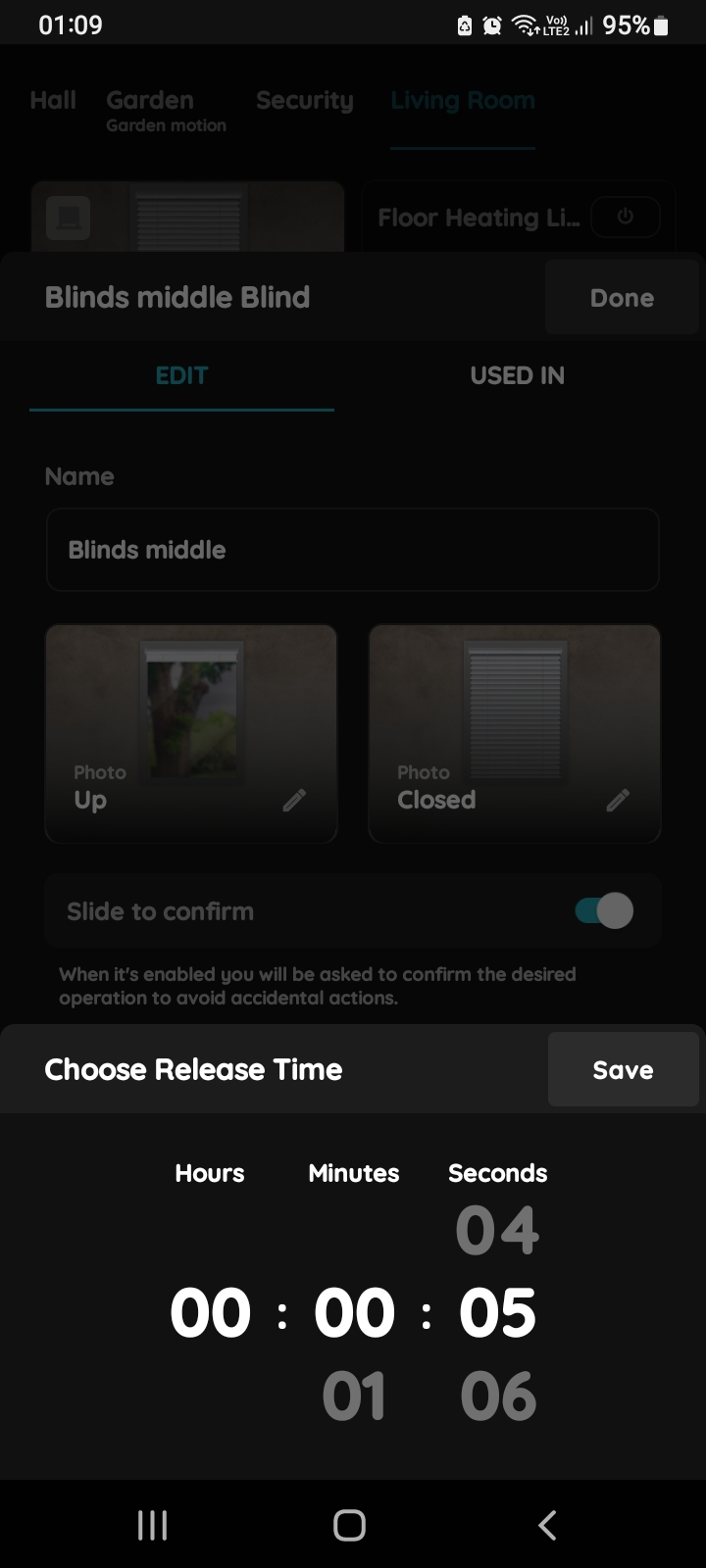
Set the Release Time
FAQ
Check that the module is powered (L and N), that the PIERRE Wave Gateway is available, and that the wiring is correct. Then put the module in pairing mode again (hold the Reset key for 5 seconds until the light pulses blue).
One or two lighting circuits (for example ceiling lamps or panel lights), up to 200 W resistive or 150 W LED per channel, or one 230 V AC blind or curtain motor.
The module can still be controlled with the traditional wall switch and from the PIERRE displays.
Do a factory reset (hold the Reset key for 10 seconds until the light turns steady white), then add it again and choose 1 Gang Blind. The same applies when changing between 1-gang light and 2-gang light.
Choose Switch as the input type when you add the module in the app. Button is for momentary push buttons.
Yes. Each relay returns to its last state.
Yes, it needs L and N. Because it is mains powered, it also works as a Zigbee router and extends the PIERRE Wave network.