
2 Gang Light Module (L+N)
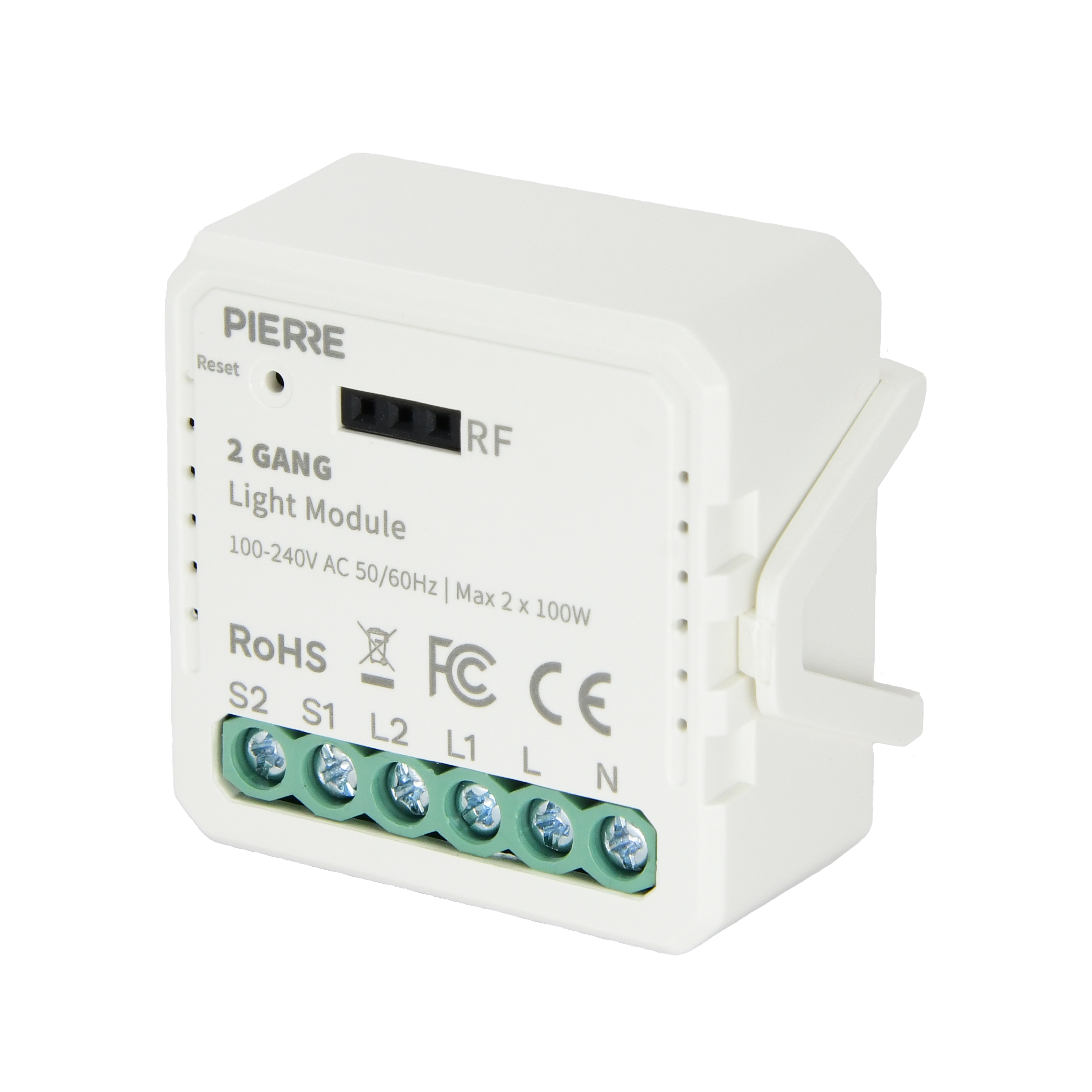
| SKU | PW-MOD-L-2G-NL-MINI |
|---|---|
| Product line | PIERRE Wave |
| Category | Pierre Wave - Modules / Light control |
| Manufacturer | QualityLed |
| Manufacturer SKU | QS-Zigbee-SEC02 |
| GTIN / EAN | 8606034720284 |
| HS code | 8537109100 |
Overview
The PIERRE Wave 2 Gang Light Module operates on a 100-240V AC 50/60Hz power supply and provides independent control of two lighting channels. Featuring both Line and Neutral connections, it ensures compatibility with modern electrical standards, delivering stable performance.
This compact module is designed to fit within standard switch boxes, making it versatile for installation in various lighting setups. Built-in overload and thermal protection features safeguard the device, ensuring reliable operation over time. By integrating with the PIERRE Smart home system, users can remotely manage each lighting circuit individually, create automation scenarios, and set energy-efficient schedules.
Modules are typically designed to work with both regular (rocker) switches and push buttons.
Key features
AC 100-240V 50/60Hz, dual-channel light control, Max. load: 2 × 2300W / 2 × 250W for LED, Current: 2 × 10 A, L+N connection, remote control, overload and thermal protection.
Technical specifications
| Control | |
|---|---|
| Number of Channels | 2 channels |
| Electrical | |
| Power Supply | 100-240V AC 50-60Hz |
| Current | 10.0 A |
| Max Load | 2 × 2300W / 2 × 250W for LED |
| Environmental | |
| Operating Temperature | +14°F - +104°F |
| Operating Temperature (°C) | -10 - +40 |
| Operating Humidity | ≤ 80% RH % RH |
| IP Rating | IP20 |
| Features | |
| LED Indicators | Yes |
| Operation Range | 200 m |
| Physical | |
| Panel Material | ABS+PC material |
| Product Color | White |
| Wiring Requirements | N - Neutral, L - Live |
| Connectivity | |
| Connectivity | Zigbee |
| Safety | |
| Safety Features | Overload protection, Over voltage protection, Short circuit protection, Thermal protection, Electrostatic protection, Surge protection |
Physical & packaging
| Dimensions (L × W × H) | 40 × 23 × 44 mm |
|---|---|
| Weight | 28 g |
| Box dimensions (L × W × H) | 49 × 32 × 54 mm |
| Box weight | 41 g |
User manual
- 1. Product Description
- 2. Product Size
- 3. System requirements
- 4. Product specifications
- 5. Wiring Instructions and Diagrams
- 6. App-to-Device Pairing
- 7. FAQ
1. Product Description
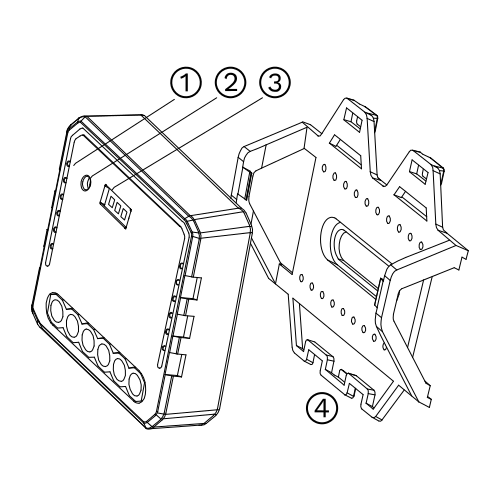
- Indicator Light
- Reset Key
- RF Receiver
- Mounting Clip
2. Product Size
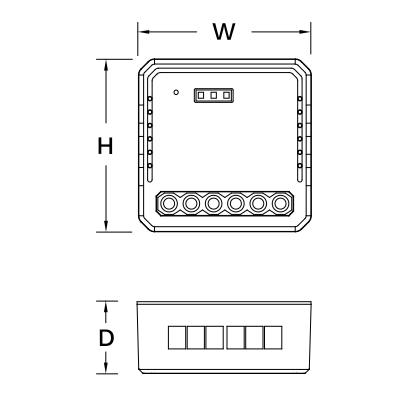
- Without Mounting Clip
- W: 39 mm
- H: 39 mm
- D: 18 mm
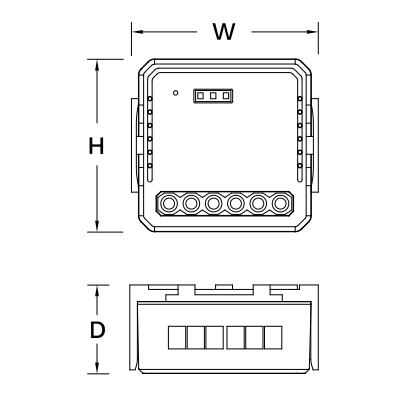
- With Mounting Clip
- W: 42 mm
- H: 40 mm
- D: 23 mm
3. System requirements
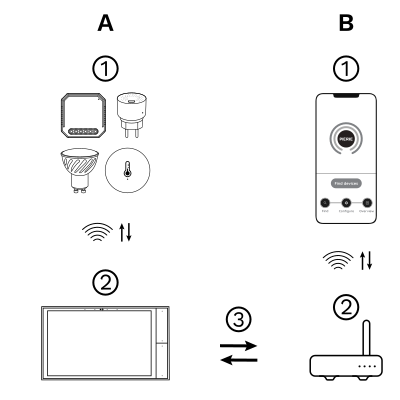
The PIERRE Wave (Zigbee 3.0, 2.4 GHz) system consists of the following components.
Required
- PIERRE Wave products: switches, modules, sensors, thermostats and other devices. They connect wirelessly to the gateway.
- Gateway: a PIERRE display and/or gateway. It links all PIERRE Wave devices and handles the communication with the app.
Optional
- Smart PIERRE app: control and monitoring from a smartphone or tablet. Not required for basic operation.
- Router: gives the gateway internet access for remote control.
Operation: the gateway connects to the router by Wi-Fi or LAN. PIERRE Wave products communicate wirelessly with the gateway in both directions: commands are sent and status updates are received through the Smart PIERRE app.
What you need
A PIERRE Wave (Zigbee 3.0, 2.4 GHz) gateway: a PIERRE display and/or gateway.
4. Product specifications
5. Wiring Instructions and Diagrams
- Turn off the power supply before carrying out any electrical installation work.
- Connect wires according to the wiring diagram.
- Insert the module into the junction box.
- Turn on the power supply and follow switch module configuration instructions.
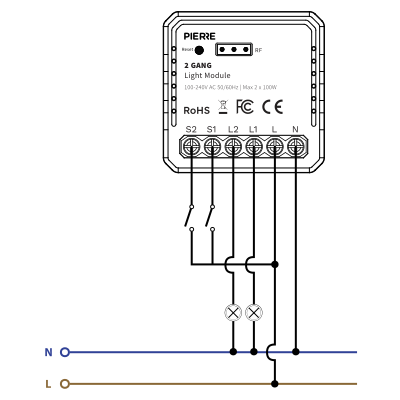
Two way single control
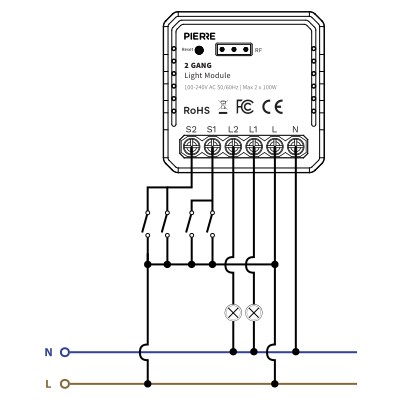
Two way double switch
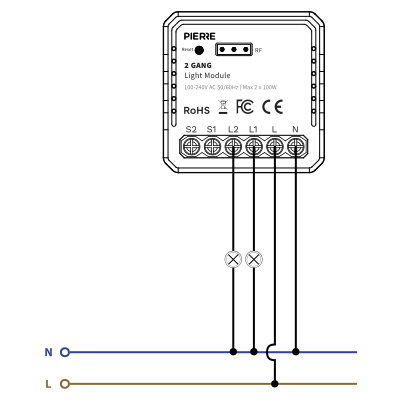
Without switch
| Run | Wires | Cross-section | Cable type | Conductors |
|---|---|---|---|---|
| From electric box to light module | 2 | 1.5 mm² | NYM-O | L, N |
| From light module to light fittings | 3 | 1.5 mm² | NYM-J | L1, L2, N |
| From light module to switches | 3 | 0.75 mm² | NYM-J | COM, S1, S2 |
Three runs. The supply into the module is two conductors at 1.5 mm², line and neutral. Out to the fittings: 2 switched lines (L1–L2) plus the neutral at 1.5 mm², one switched line per fitting. The wall switches are looped on 0.75 mm²: common and S1–S2, one input per gang. Because the neutral is present at the module, this variant also works as a Zigbee repeater.
6. App-to-Device Pairing
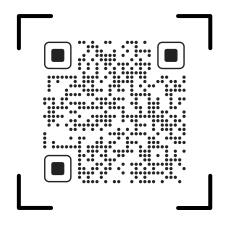
Please scan the QR code to download PIERRE application
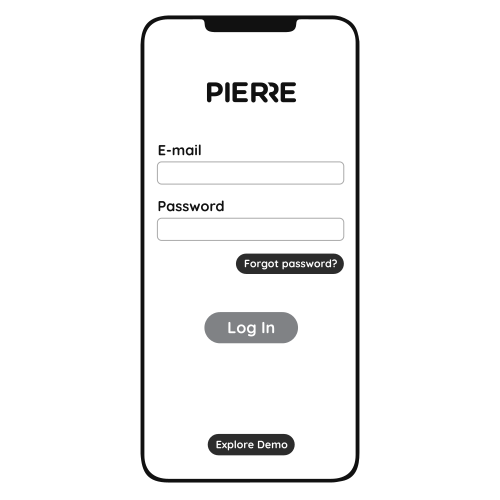
Log in with your Username and Password
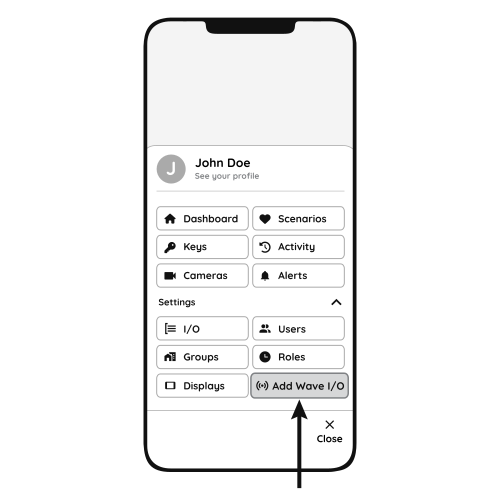
Open Settings and press "Add Wave I/O"
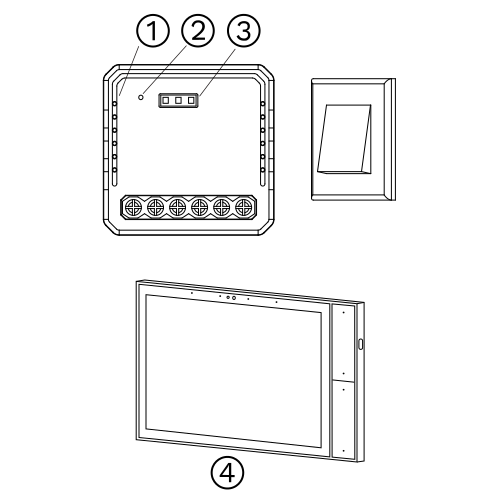
Press and hold the Reset Key for 10 seconds (use a small, thin object like a paperclip) until the Indicator Light starts flashing
- Indicator Light
- Reset Key
- RF Receiver Connector (not supported)
- PIERRE Wave Gateway
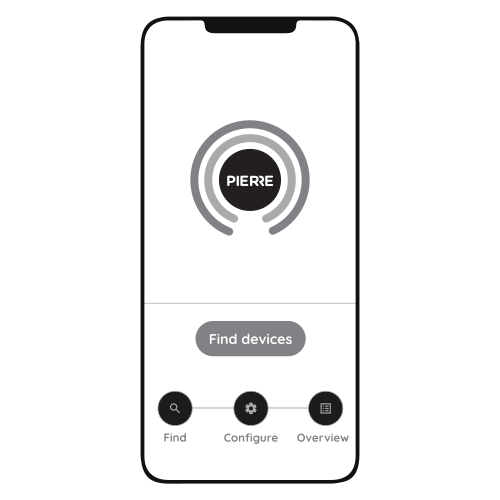
Press "Find Devices"
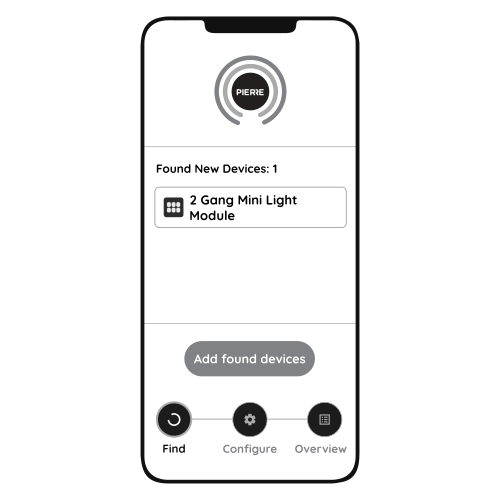
PIERRE application will show the list of available devices. Press "Add found devices"
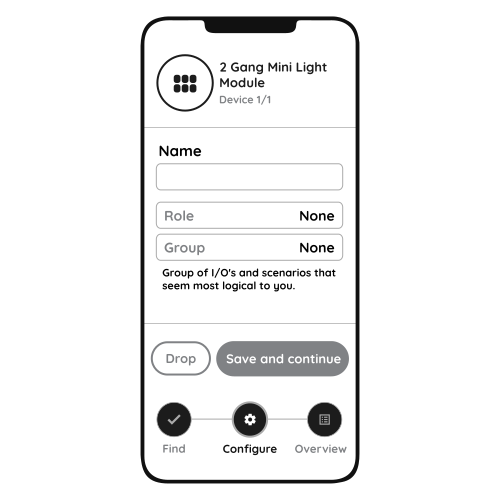
Enter Name, Role and Group settings and Save it
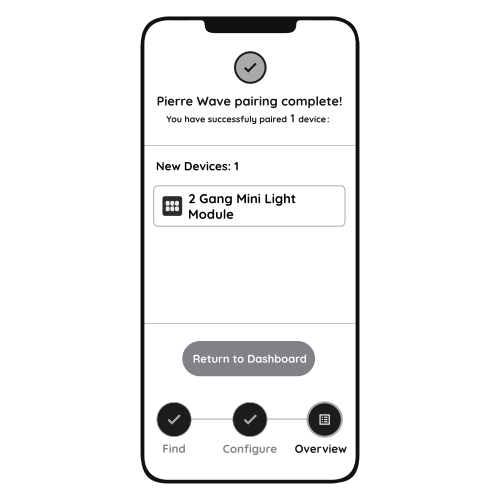
When the Light indicator stops flashing, the PIERRE Wave pairing process is finished
7. FAQ
Q1: What should I do if I cannot configure the light module?
- Check that the module is powered.
- Make sure the PIERRE Wave gateway (PIERRE display and/or gateway) is online.
- Check the wiring against the diagram.
Q2: What loads can be connected to this module?
Lighting loads such as ceiling lamps and panel lights, within the rated load given in the specifications.
Q3: What happens if the Wi-Fi or internet goes down?
The module keeps working locally. You can still switch the light with the wall switch and control it from the PIERRE display and/or gateway; only remote access from the app is unavailable.
Q4: How do I reset the module?
Either toggle the connected wall switch 5 times, or press and hold the reset key for about 10 seconds, until the indicator light flashes.
Q5: What happens during a power cut?
The module keeps its last state and comes back when power is restored.
Q6: What size wall box does the module need?
See the Product Size section. The module fits behind the switch in a standard wall box; a deep box makes wiring easier.
Q7: What is the difference between the neutral and no-neutral modules?
Modules with a neutral also act as Zigbee repeaters and strengthen the network. Use the no-neutral module where no neutral is available at the switch.
Q8: Can any switch or button be used?
Yes. Any standard wall switch or push-button can be connected to the S inputs.
Q9: Does it support multi-way switching?
Yes. See the diagrams in the Wiring Instructions and Diagrams section.