
Indoor Smart Plug EU Type F (with Energy Monitoring)
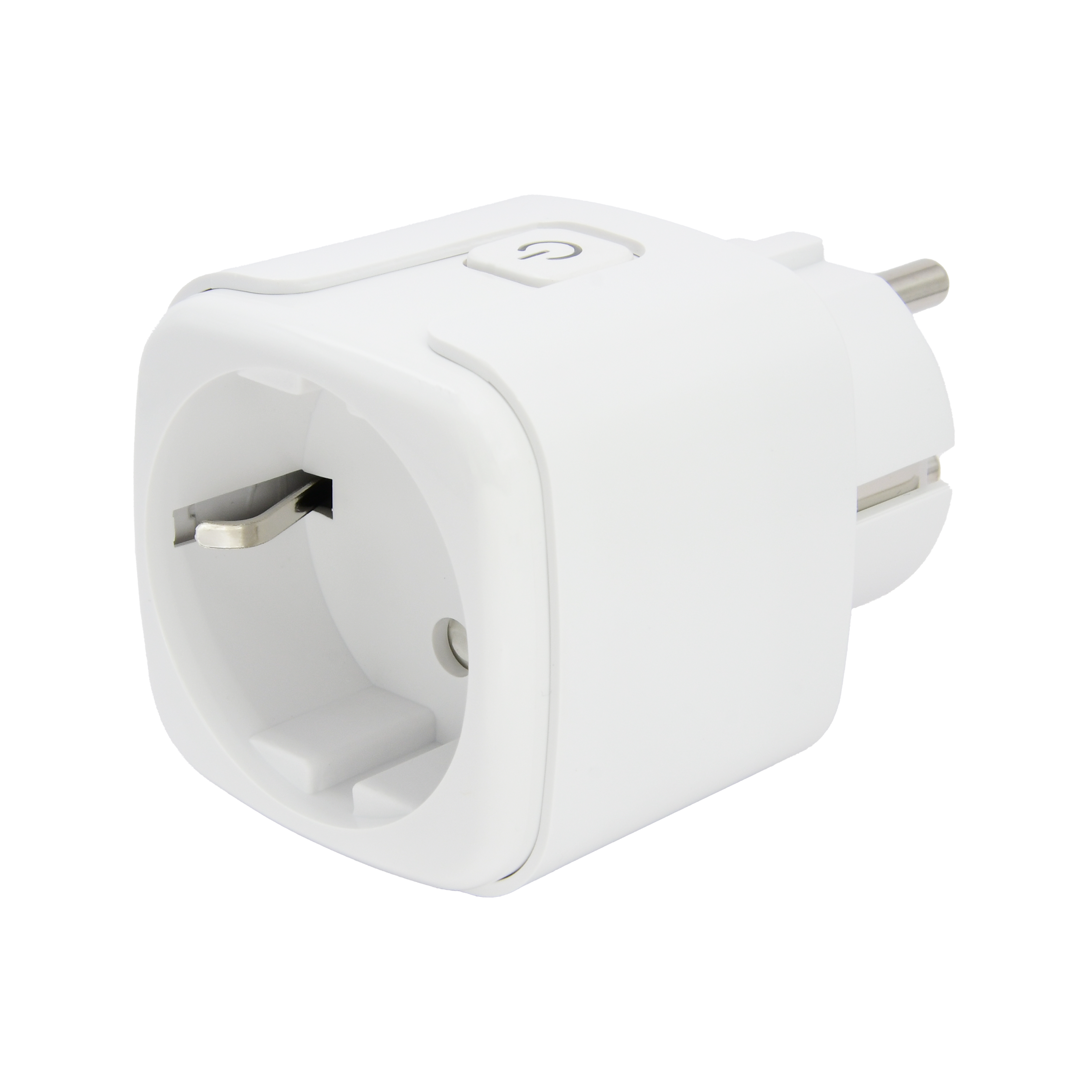
| SKU | PW-ACT-PLUG1 |
|---|---|
| Product line | PIERRE Wave |
| Category | Actuators |
| Manufacturer | RSHTech |
| Manufacturer SKU | RSH-WS001-Zigbee |
| GTIN / EAN | 8606034720796 |
| HS code | 8536699000 |
Overview
The PIERRE Wave Indoor Smart Plug Type F allows users to monitor power consumption directly from their mobile devices, enhancing energy efficiency and cost control. Operating on an AC range of 85-250V at 50/60Hz, it supports up to 3680W and a current load of 16A, making it suitable for various appliances.
Equipped with PIERRE Wave connectivity, it offers remote control, scheduling, and automation through compatible smart home systems. Constructed with a durable shell, it operates reliably within indoor conditions, making it ideal for household use.
Key features
PIERRE Wave, AC 85-250V 50/60Hz, Maximum load: 3680W, Current: 16A, Energy monitoring, range up to 45m, standby consumption ≤0.46W.
Technical specifications
| Connectivity | |
|---|---|
| Communication Frequency | 2.4GHz |
| Connectivity | Zigbee |
| Electrical | |
| Power Consumption | 0.4 W |
| Current | 16.0 A |
| Max Load | 3680W |
| Environmental | |
| Operating Temperature | +32°F - +122°F |
| Operating Temperature (°C) | 0 - +50 |
| Operating Humidity | 0 - 85% RH Non-condensing % RH |
| IP Rating | IP20 |
| Features | |
| LED Indicators | Yes |
| Operation Range | 45 m |
| Physical | |
| Panel Material | ABS+PC material |
| Product Color | White |
| Safety | |
| Safety Features | Overload protection, Over voltage protection, Short circuit protection, Thermal protection |
Physical & packaging
| Dimensions (L × W × H) | 49 × 49 × 82 mm |
|---|---|
| Weight | 73 g |
| Box dimensions (L × W × H) | 65 × 56 × 87 mm |
| Box weight | 89 g |
User manual
- 1. Product Description
- 2. Product Size
- 3. Technical Specification
- 4. Control and Functions
- 5. Before Using the Device
- 6. System requirements
- 7. App-to-Device Pairing
- 8. Video
- 9. FAQ
1. Product Description
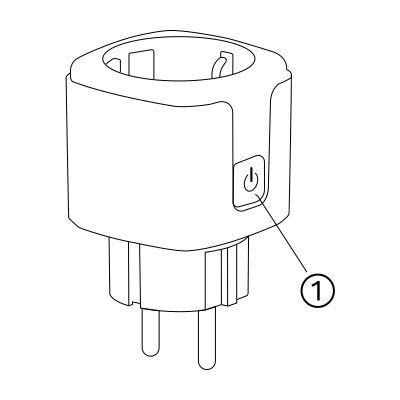
- Power On button
2. Product Size
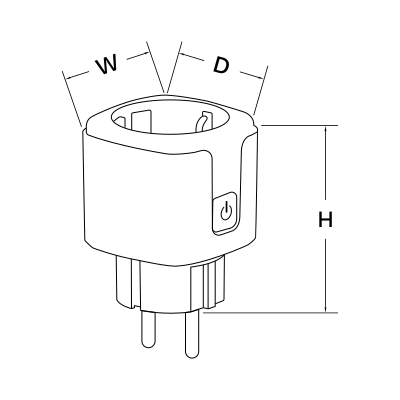
W: 50 mm
H: 63 mm
D: 50 mm
3. Technical Specification
4. Control and Functions
Control
The smart plug can be controlled from the Dashboard and from the I/O list.
Available functions:
- Turn ON
- Turn OFF
- AUTO mode
The current outlet status is shown in the application.
Power monitoring
The smart plug has built-in power measurement.
Available measurements:
- Power consumption (W)
- Energy consumption (kWh)
Use these values to monitor the connected device and analyse its energy usage.
Zigbee repeater function
The smart plug is a Zigbee router and extends the coverage of the PIERRE Wave network: better signal coverage, a more stable network and a longer wireless range.
For best performance, distribute smart plugs throughout the installation to strengthen the Zigbee mesh.
5. Before Using the Device
Before adding the smart plug, make sure that:
- A PIERRE display and/or gateway is commissioned and online.
- The plug is within Zigbee range of the gateway or of another mains-powered PIERRE Wave device.
- The plug stays plugged in; it works as a Zigbee router only while it is powered.
6. System requirements
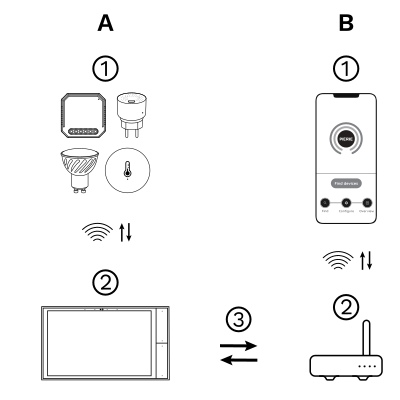
The PIERRE Wave (Zigbee 3.0, 2.4 GHz) system consists of the following components.
Required
- PIERRE Wave products: switches, modules, sensors, thermostats and other devices. They connect wirelessly to the gateway.
- Gateway: a PIERRE display and/or gateway. It links all PIERRE Wave devices and handles the communication with the app.
Optional
- Smart PIERRE app: control and monitoring from a smartphone or tablet. Not required for basic operation.
- Router: gives the gateway internet access for remote control.
Operation: the gateway connects to the router by Wi-Fi or LAN. PIERRE Wave products communicate wirelessly with the gateway in both directions: commands are sent and status updates are received through the Smart PIERRE app.
What you need
Zigbee gateway: a PIERRE display and/or gateway. One of those must already be commissioned before the device can be added.
7. App-to-Device Pairing
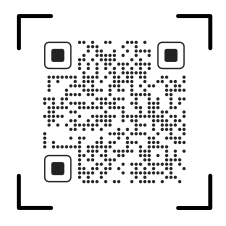
Please scan the QR code to download PIERRE application
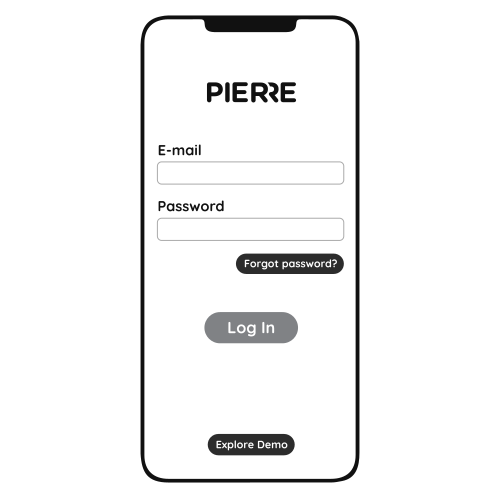
Log in with your Username and Password
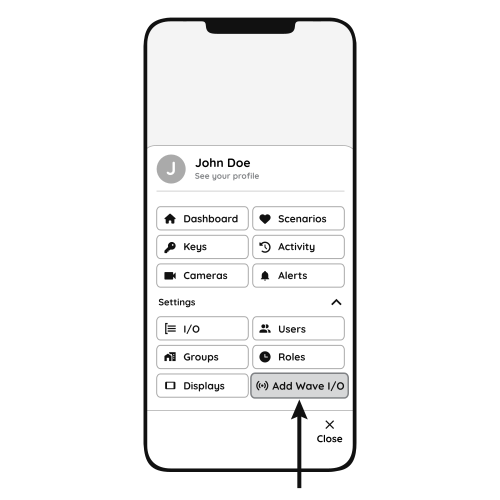
Open Settings and press "Add Wave I/O"
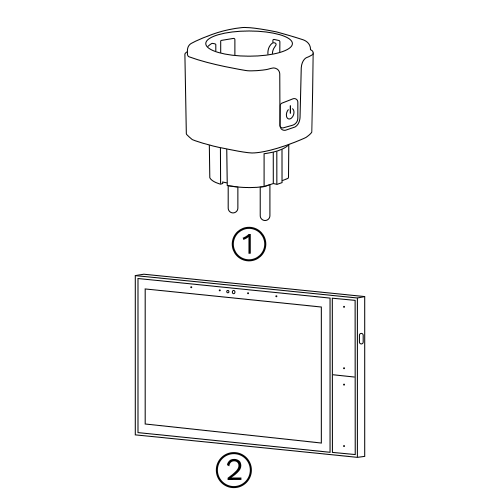
Press and hold the Reset Key for 10 seconds until the Indicator Light starts flashing
- Smart plug
- PIERRE Wave Gateway
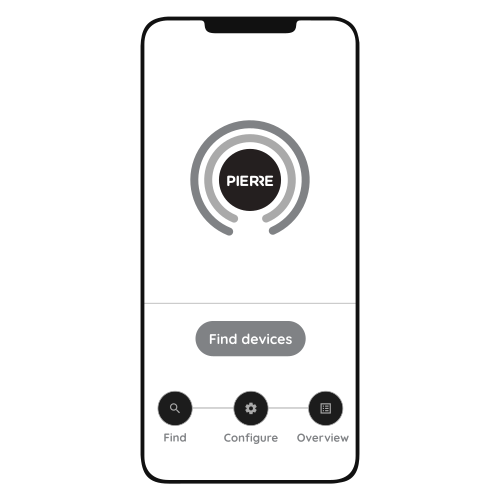
Press "Find Devices"
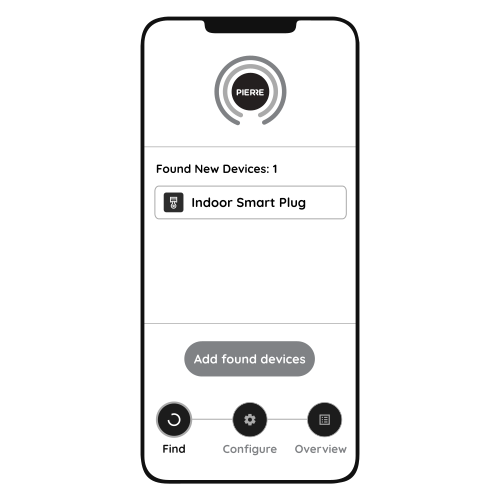
PIERRE application will show the list of available devices. Press "Add found devices"
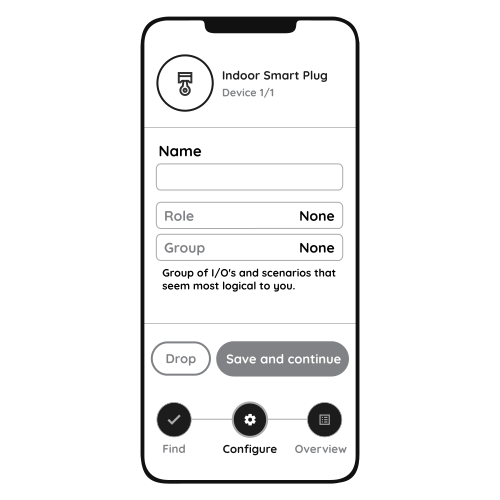
Enter Name, Role and Group settings and Save it
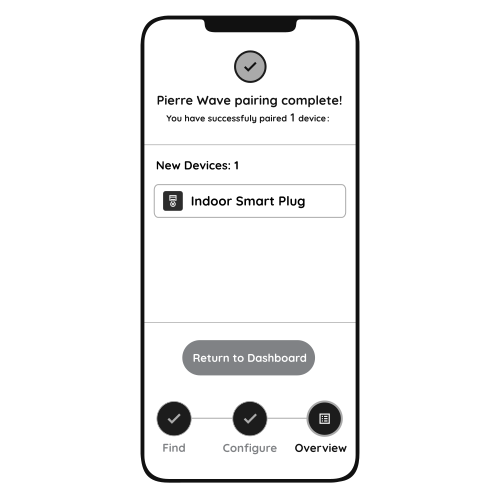
When the Light indicator stops flashing, the PIERRE Wave pairing process is finished
8. Video
PIERRE Academy | How to set up and use the PIERRE Wave Smart Plug. https://www.youtube.com/watch?v=bTNtYiDbYuk
9. FAQ
Q1: Will the smart plug fit into standard sockets?
Yes. The smart plug is compact and fits into standard wall sockets while leaving adjacent outlets accessible.
Q2: Can I control the smart plug without the app?
Yes. The power button on the plug switches the connected device on or off without the app.
Q3: Does the smart plug support energy monitoring?
Yes. The plug reports the power consumption (W) and the energy consumption (kWh) of the connected device; both are shown in the Smart PIERRE app.
Q4: The plug does not appear in the list of found devices. What should I do?
- Check that the LED is flashing. If not, press and hold the reset key for 10 seconds to enter pairing mode.
- Check that the gateway is online and that "Find Devices" is running.
- Move the plug closer to the gateway or to another mains-powered PIERRE Wave device.