
PIERRE Partner - IP Camera Configuration
Description
The PIERRE system supports integration of IP cameras through RTSP (Real Time Streaming Protocol) streams. Each camera must be added to the system using a valid RTSP URL, which can be obtained directly from the camera or from the NVR (Network Video Recorder).
Camera Configuration
To add a camera in the PIERRE application:
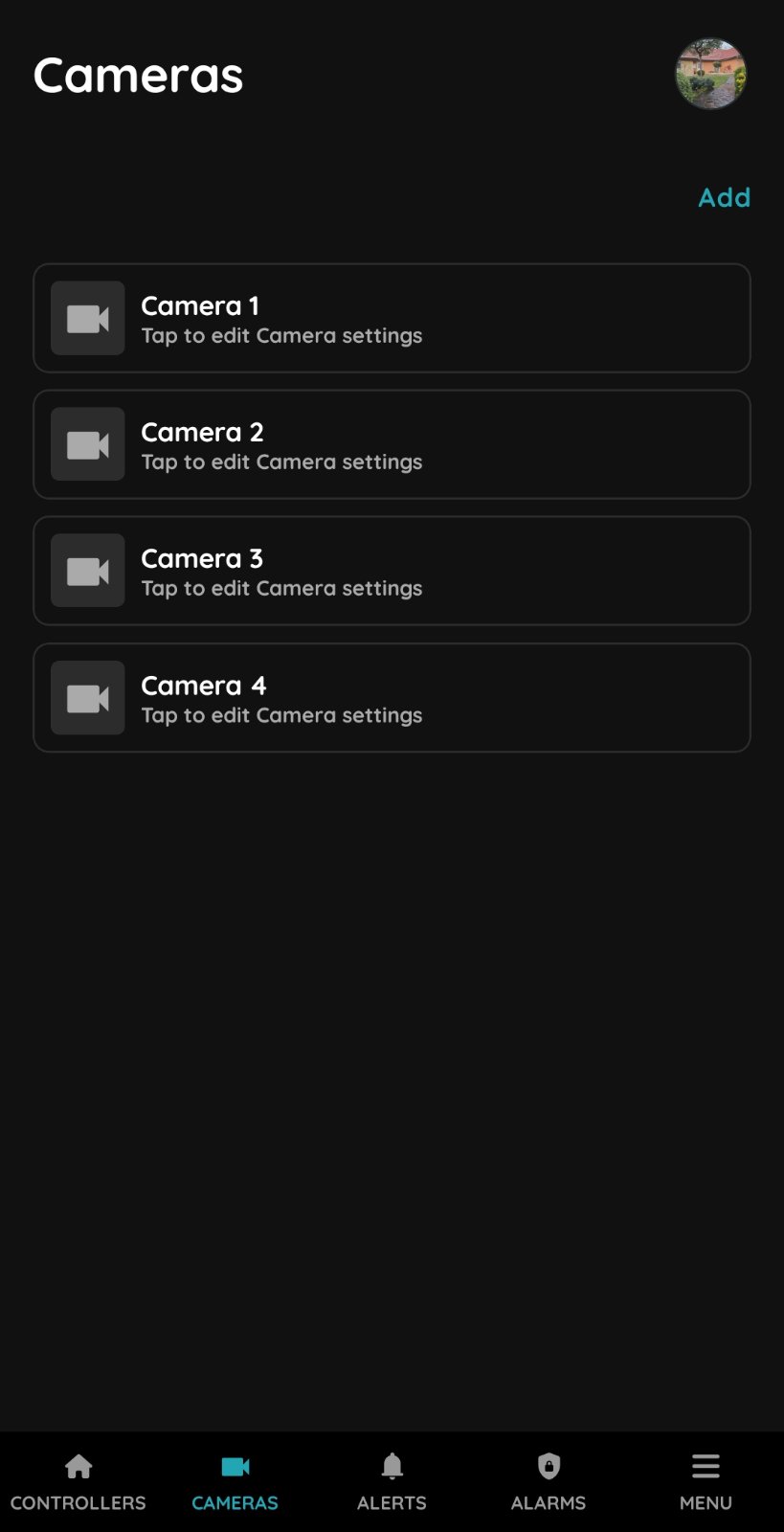
- Navigate to the Cameras section.
- Select Add Camera.
- Enter a camera name.
- Select the correct Role or Roles.
- Select the Dashboard where this camera will be displayed.
- Configure the RTSP stream URL.
- Save the configuration.
Once configured, the camera stream will be available within the application.
RTSP URL Templates
Hikvision
Main Stream:
rtsp://username:password@IP_ADDRESS:554/Streaming/Channels/101Sub Stream:
rtsp://username:password@IP_ADDRESS:554/Streaming/Channels/102Dahua
Main Stream:
rtsp://username:password@IP_ADDRESS:554/cam/realmonitor?channel=1&subtype=0Sub Stream:
rtsp://username:password@IP_ADDRESS:554/cam/realmonitor?channel=1&subtype=12N IP Camera
rtsp://username:password@IP_ADDRESS/live/ch00_0Akuvox Door Phone Camera
rtsp://username:password@IP_ADDRESS:554/live/ch00_0RTSP URL formats may vary depending on device model and firmware version. Always verify the RTSP path with the manufacturer documentation.
Local Network Access
For local camera viewing only, no public internet access is required.
In this scenario:
- The NVR and PIERRE system must be connected to the same local network.
- Only the local IP address of the NVR is required.
- Individual camera channels can be added using the corresponding RTSP stream for each channel.
Example:
rtsp://username:password@192.168.1.100:554/Streaming/Channels/101Remote Access Requirements
If camera streams must be accessible from outside the local network, additional network configuration is required.
Supported methods:
- Static Public IP Address
- Dynamic DNS (DDNS)
Static Public IP
A static public IP address is the recommended solution for reliable remote camera access. You must order and subscribe to it from the service provider.
Dynamic DNS (DDNS)
DDNS services may be used when a static public IP is not available.
However, remote camera integration using DDNS cannot be guaranteed because some Internet Service Providers implement Carrier-Grade NAT (CGNAT) or Double NAT environments. If possible, you should ask your ISP to disable this security feature. Otherwise, incoming connections from the Internet cannot be established, preventing direct RTSP access.
Router Configuration
For remote camera access, the required ports must be forwarded from the service provider's router to the NVR.
Typical ports include:
| Service | Default Port |
|---|---|
| RTSP | 554 |
| HTTP | 80 |
| HTTPS | 443 |
| Manufacturer Specific Services | Depending on NVR model |
The exact port forwarding configuration depends on the NVR manufacturer and network architecture.
Recommendations
- Use a static public IP address whenever possible.
- Configure strong passwords for all cameras and NVR devices.
- Use sub-streams for mobile applications to reduce bandwidth consumption.
- Verify RTSP stream functionality using a media player such as VLC before adding the stream to the PIERRE system.
- Ensure all required ports are properly forwarded when remote access is required.
Add new Camera in PIERRE Partner application
New Camera
Settings
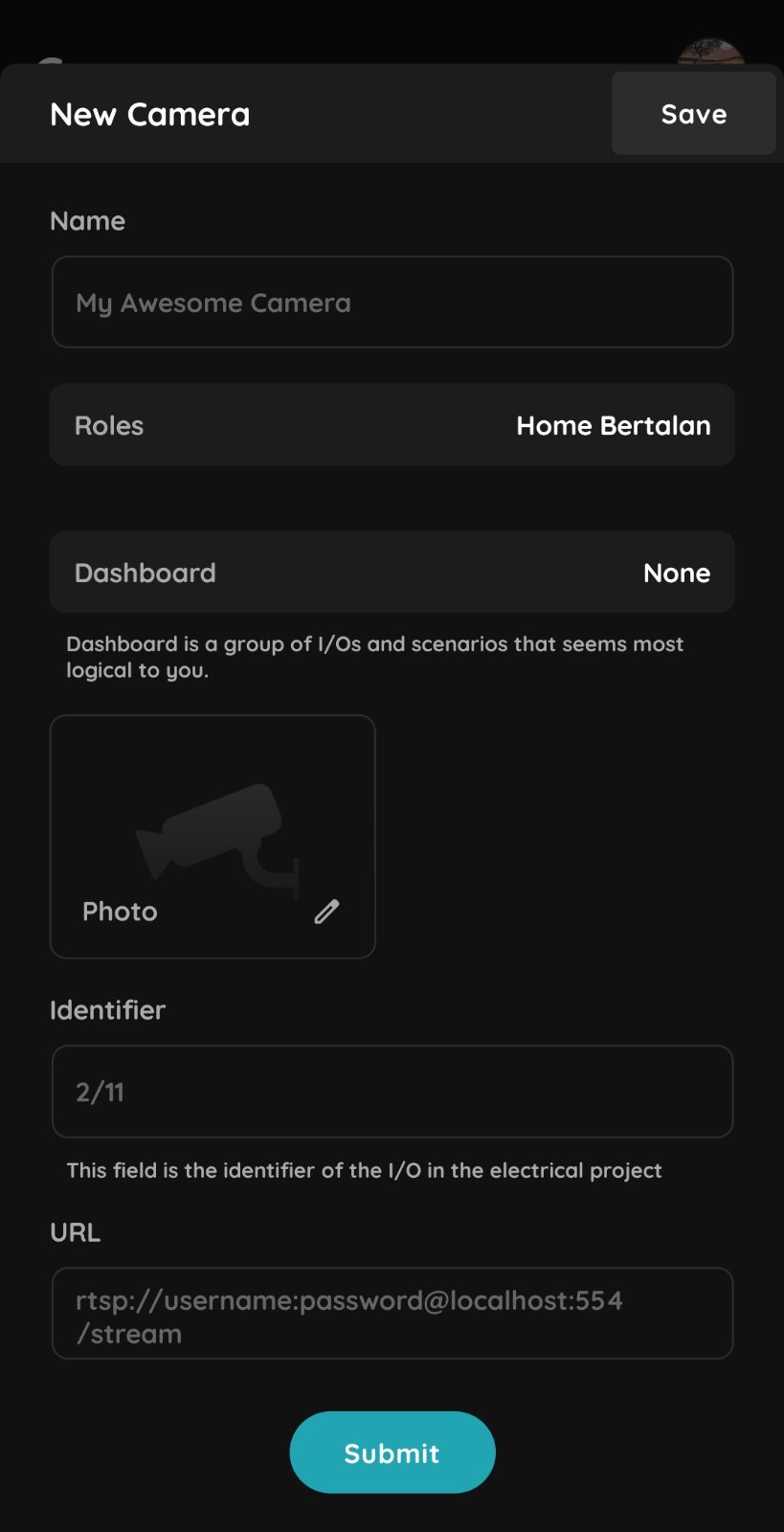
Name – Enter a name for the new camera.
Role – Select the appropriate Role for the camera.
Dashboard – Select the Dashboard where the camera will be displayed. Please note that a maximum of two cameras can be added to one Dashboard.
Identifier – Enter the camera identifier as defined in the electrical project.
URL – Enter the camera's RTSP URL.
Sample RTSP URLs for Common Camera Brands
Hikvision
Main Stream:
rtsp://username:password@IP_ADDRESS:554/Streaming/Channels/101
Sub Stream:
rtsp://username:password@IP_ADDRESS:554/Streaming/Channels/102
Dahua
Main Stream:
rtsp://username:password@IP_ADDRESS:554/cam/realmonitor?channel=1&subtype=0
Sub Stream:
rtsp://username:password@IP_ADDRESS:554/cam/realmonitor?channel=1&subtype=1
2N
rtsp://username:password@IP_ADDRESS/live/ch00_0
Akuvox
rtsp://username:password@IP_ADDRESS:554/live/ch00_0