Pro
Solution - Door Bell Buttons
4 min read
Beginner
Updated 2026-11-02
Wave
Bell
Doors, Gates
Taster
Description
A doorbell button is a dry-contact input on a PIERRE controller. When the contact closes, the controller raises a doorbell event, which notifies the PIERRE indoor display and the app.
Button Types
- Push button with dry contact — any momentary push button with a potential-free output can be used. Two wires run from the button to the controller input. This is the standard solution.
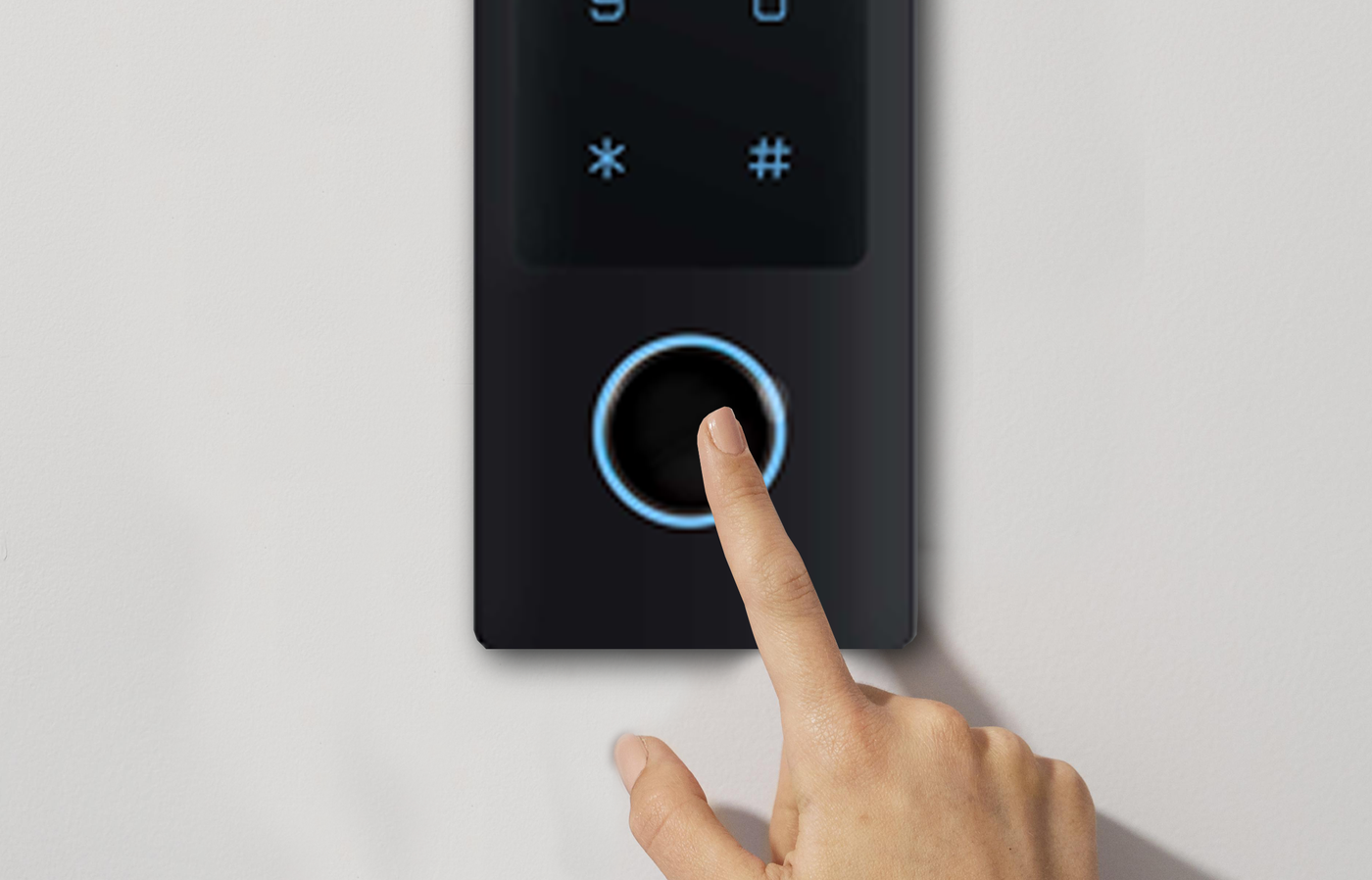
- RFID reader with an integrated button — the button works as the doorbell while the reader handles entry credentials. The two functions use separate connections and are configured as separate items.
- Outdoor unit button — where an intercom outdoor unit is installed, its own call button takes the doorbell role and no separate input is needed.
What Happens On Press
- The controller registers the input change and raises the doorbell event.
- The indoor display and the app are notified.
- The event can also trigger a scenario — for example switching on the entrance light or a chime output.
Steps in the PIERRE Partner app
- Add the push button to the controller. Open the controller, Inputs tab, Add, pick Button. Fill in Name, Role, Pin (the physical input it is wired to), Photo and Identifier, then Save. The button gets three sub-actions you can use later: Tap, Hold and Double.
- Create the alert. Alerts in the taskbar, Add. Fill in Name (this becomes the notification title), Role or Roles (the users who receive it), Photo, and Message body (the notification text). Under Notification Level choose Push notification. You can also pick Activity tab only, or Receive a phone call. Open screen sets which screen opens when the user taps the notification. Save.
- Attach the trigger. Open the alert and select Automation, then Existing I/O. Pick the button and its Tap action. Save.
- Make sure the alert's toggle is enabled in the Alerts list.
- Test by pressing the button. The push arrives on every phone logged in with one of the selected roles, and the event also appears in the Activity tab.
Technical Notes
- The button must be potential-free. Never wire mains voltage or an existing 8–12V AC bell transformer to a controller input.
- If an old wired bell is being replaced, disconnect the bell transformer first and reuse only the button wiring.
- Use a momentary button, not a latching switch.
- Keep the button cable away from mains wiring; on long runs use a twisted pair.
- An illuminated button needs its own supply for the lamp — do not feed it from the input.
- The controller must be online to the cloud for the push to go out. The condition is evaluated on the controller, but the notification itself is sent by the server when it sees the alert turn active. With no internet the bell press is lost, not queued.
- Use Tap as the trigger. Hold or Double give you a second, different notification from the same button if you want one, for example "Hold" for family members bell.
- If you also want a sound or light inside, add a second automation on a Scenario with the same button as condition. Alerts can be a condition for other automations too, since the type is in the automation list. So you can add an electrical bell connected with a relay to the controller.
- If the alert should only fire at certain hours, add a New Time Condition in the same Automation menu next to the button condition.
Schemes
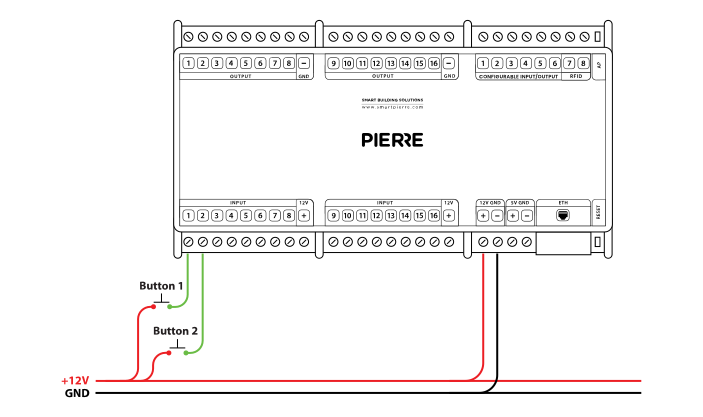
Push button - wiring - Electric schemes
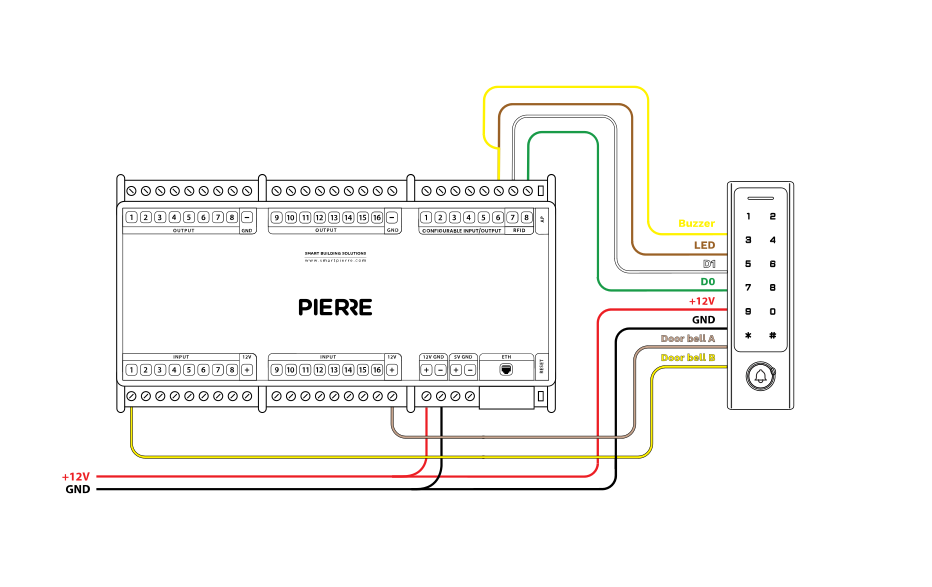
RFID Reader (Keypad + Bell) - wiring - Electric schemes
Cables
| Position | Wires | Diameter | Type | Comment |
|---|---|---|---|---|
| From Electric box to Door bell button | 2 | 0.258 mm² | UTP Cat6 | 4 twisted pairs, in total 8 thin individual wires |
FAQ
Q
Can I get a notification with a traditional doorbell?
A
Not on its own. Wire the bell push (or the bell's output relay) to a digital input of the controller, exactly like a push button, and create an automation that sends a push notification — it can also open the intercom camera on the display.