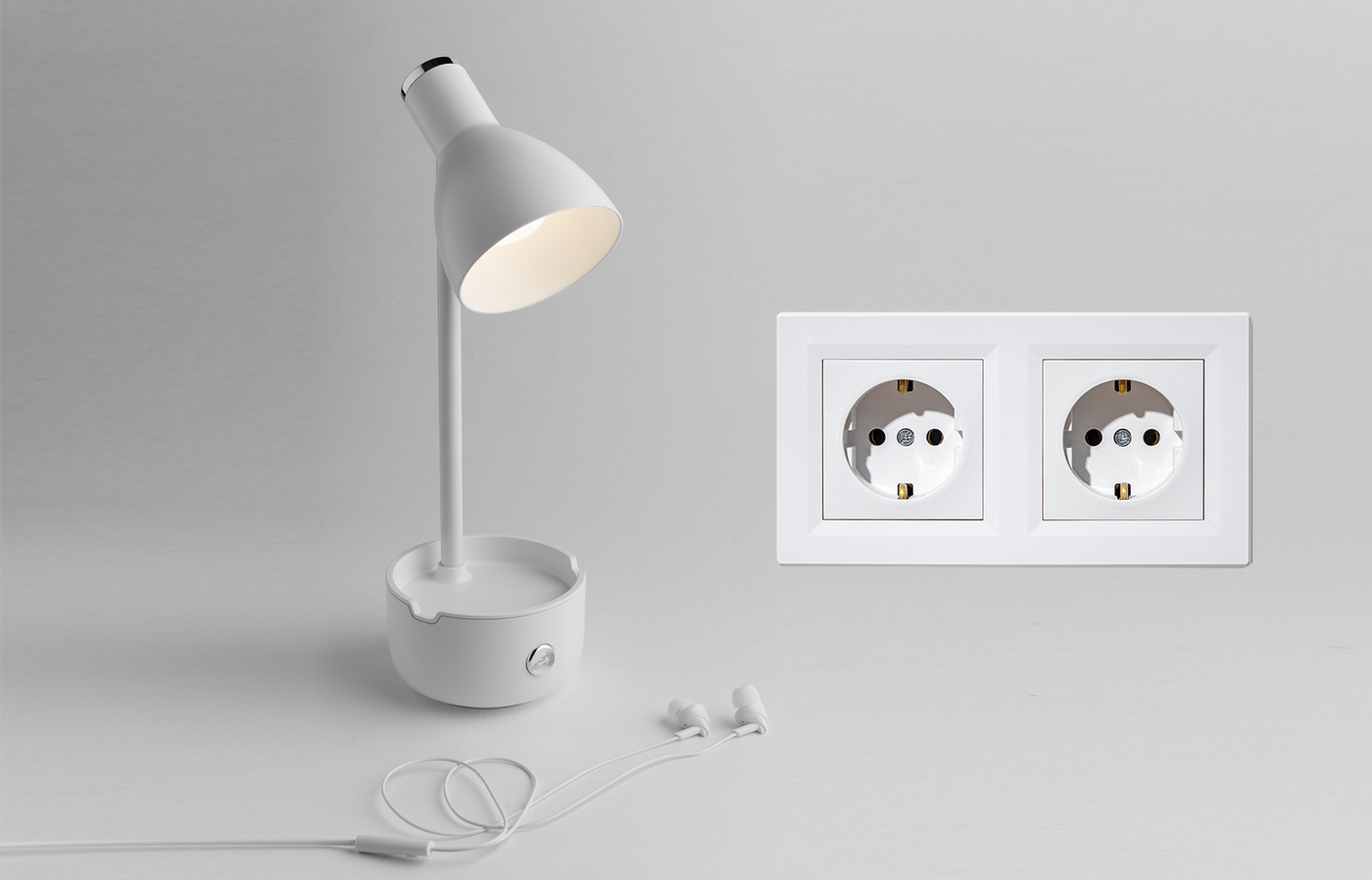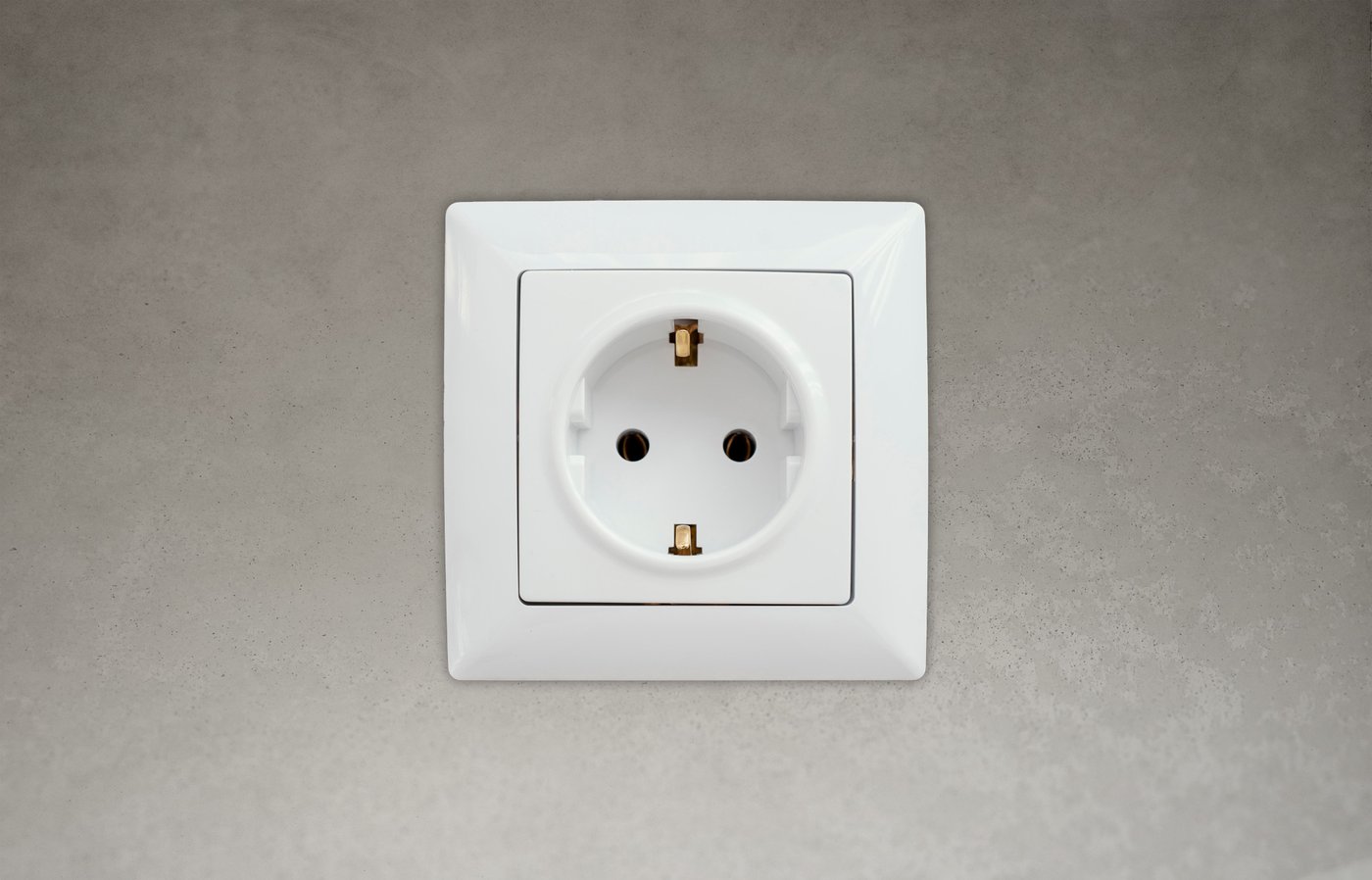
Solution - Electrical Outlet
Description
The Electrical Outlet I/O type allows users to control connected electrical devices through the PIERRE system.
Electrical outlets can be controlled manually, included in automations, and integrated into scenes.
Control
Electrical Outlets can be controlled directly from the Dashboard and the I/O List within the Smart PIERRE application.
Available functions:
-
Turn ON
-
Turn OFF
The current state of the outlet is displayed within the application.
Configuration
Press and hold the Outlet card to open the configuration page.
The following parameters can be configured:
-
Name
-
Image
-
Slide to Confirm
-
Timeout
-
Hide Activity
Timeout
The Timeout function automatically switches the outlet off after a predefined period.
This can be used for devices that should only operate for a limited time.
Slide to Confirm
When enabled, user actions must be confirmed with a slide gesture to prevent accidental operation.
Used In
The Used In tab displays all Scenes and Automations that use the selected Outlet.
This provides a quick overview of where the Outlet is used within the system.
Automation Integration
Electrical Outlets can be included in:
-
Scenes
-
Scheduled automations
-
Sensor-based automations
-
Energy management automations
Examples:
-
Turn off all outlets when leaving the building.
-
Switch on a device at a scheduled time.
-
Control appliances based on occupancy.
-
Activate equipment when a sensor condition is met.
Technical Notes
-
Electrical Outlets are controlled through relay outputs.
-
Multiple outlets can be controlled simultaneously using Scenes and Automations.
-
The connected load must comply with the specifications of the installed relay output.
Typical Applications
-
Coffee machines
-
Water heaters
-
Fans
-
Decorative lighting
-
Pumps
-
Household appliances
-
Office equipment
Good to Know
When controlling electrical outlets, the switching device must be selected according to the connected load.
Typical high-power consumers:
• Electric heaters
• Water heaters
• Boilers
• Pumps
• HVAC equipment
High-power loads may require a contactor instead of a standard relay.
Using an undersized relay may result in:
• Overheating
• Reduced lifetime
• Equipment failure
Always verify the voltage, current, and power requirements of the connected load before installation.
Schemes - Electrical outlet wiring
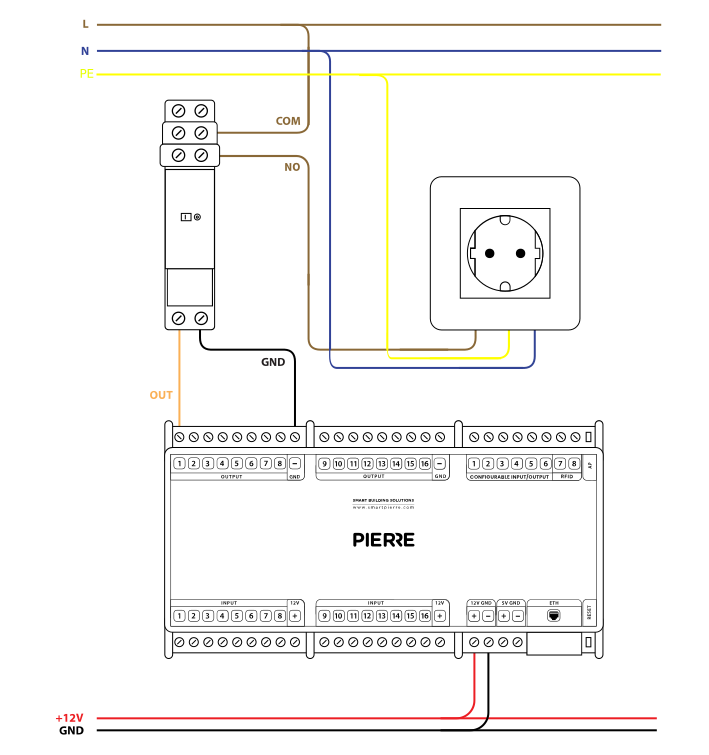
Wiring Electrical Outlets Control in the PIERRE smart home system - Electric schemes
Schemes - Contactor wiring
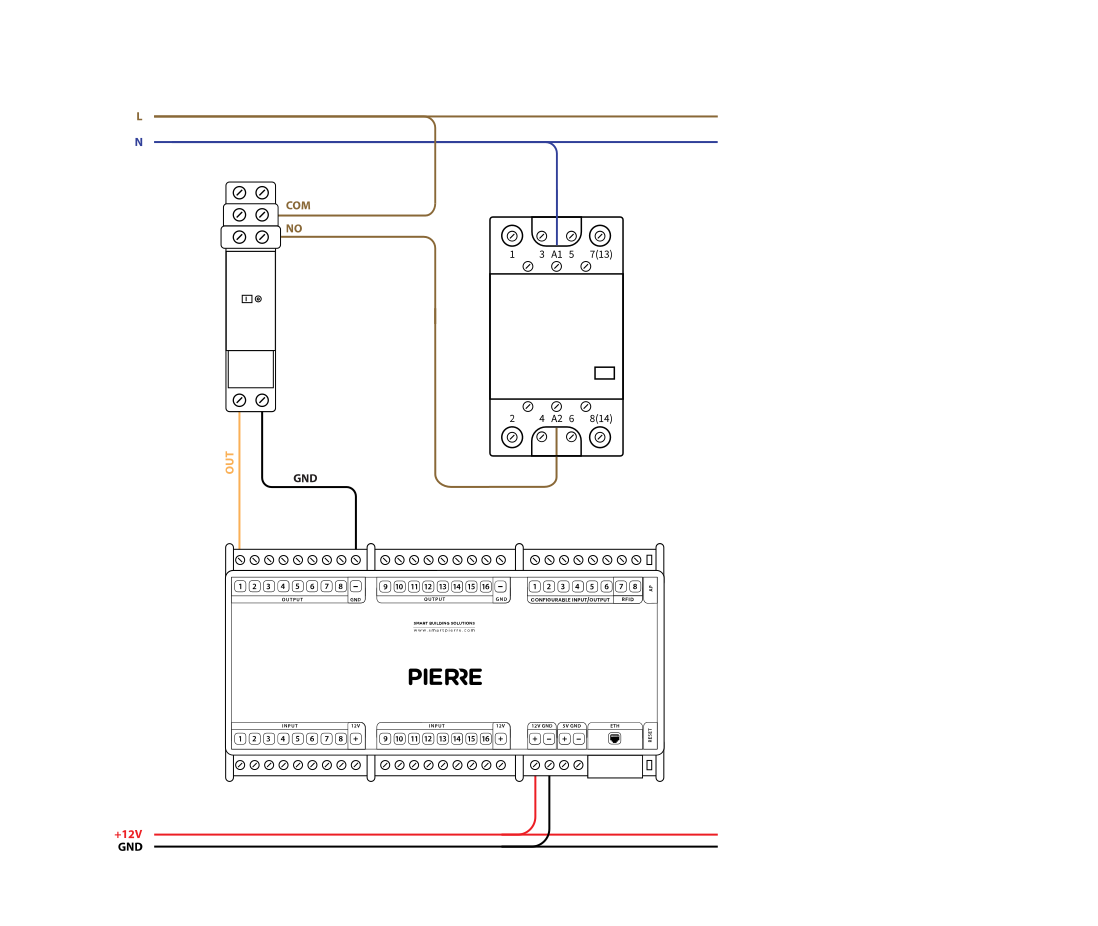
Cables
| Position | Wires | Diameter | Type | Comment |
|---|---|---|---|---|
| From Relay to Electrical Outlet | 3 | 1.5 mm² | NYM-J | L, N, PE |
| From PIERRE Controller to Relay | 2 | 0.75 mm² | H07V-K | GND, OUTPUT |
| From relay to Contactor | 2 | 1.5 mm² | NYM-O | L, N |
Troubleshooting
Green – Online: the controller is connected to the network and operating normally. Red – Offline: the controller is disconnected from the network, or there is no internet access. White – Commissioning: the controller has started in commissioning mode and is waiting to be commissioned. Light blue – AP mode: the controller is broadcasting its own network for setup or configuration. Dark blue – Selected in the app: the controller is currently selected in the PIERRE Partner app, which helps you identify the physical controller in the cabinet. Purple – Searching for IP address: the controller is waiting to receive an IP address from the router. Orange – Firmware update: a firmware update is in progress; do not power off the controller while the LED is orange.
If not: Add it in the PIERRE Partner application.
If not, wire it as shown in the diagram.
If not: Connect it.
Then it is wired to the NC terminal. Move the wire to the NO and COM terminals of the mechanical relay.